A Non-Technical Guide to CMS Migration

Initiating a CMS migration might seem daunting, especially if you're not technically inclined, but it doesn't have to be. By understanding the fundamental steps involved, you can manage the process efficiently and enhance your website's performance. Start with pre-migration planning by setting clear goals and conducting a thorough content audit. Selecting a CMS that aligns with your specific needs is crucial, as is ensuring robust post-migration testing and monitoring. Ready to transform your digital content experience without the technical headache? Here's how to get started.
Understanding CMS Migration
CMS migration, the process of transferring digital content and management from one Content Management System (CMS) to another, aims to enhance functionality and user experience. Initiating a CMS migration usually involves resolving issues like outdated technology or subpar user experience that your existing CMS can no longer address. Other driving factors include high maintenance costs and the need for advanced features to support business growth.
Begin with pre-migration planning to establish your goals and strategies. Conduct a content audit to inventory your digital content and determine what needs to be transferred. Proper data preparation is crucial to ensure a seamless transition. Monitoring performance issues during migration is essential to prevent future complications.
Maintaining SEO integrity is fundamental. Preserve URL structures and audit existing metadata and content thoroughly to avoid losing search engine rankings. The objective is to transition smoothly without disrupting your digital presence. By adhering to these steps, you can ensure that your CMS migration enhances user experience and maintains the efficiency of your digital ecosystem.
Benefits of CMS Migration
Migrating to a new CMS can unlock a range of benefits that significantly impact your organization. From enhancing user engagement to bolstering security, CMS migration offers numerous advantages. Transitioning to a modern content management system can yield a substantial return on investment. For example, platforms like Storyblok can achieve a 582% ROI over three years due to improved performance and user engagement.
Key Benefits of CMS Migration
| Benefit | Description |
|---|---|
| Improved Performance | Modern CMS platforms enhance performance, leading to increased user engagement. |
| Enhanced Security | Headless structures reduce vulnerabilities and simplify the management of security patches. |
| Scalability | Easily accommodate growth in users, integrations, and content volume. |
| Advanced Features | Leverage API capabilities for seamless integration with third-party tools. |
One of the primary benefits of CMS migration is improved security. Modern systems utilize headless architectures, reducing vulnerabilities and making security patches easier to manage. Scalability is another significant advantage, allowing your organization to grow without encountering technical limitations.
Moreover, advanced features and API capabilities enhance your digital presence by enabling seamless integrations with third-party tools. After migration, a user-friendly visual editor empowers non-technical teams to manage content independently, reducing IT dependency and streamlining updates. Ultimately, migrating to a new CMS can significantly enhance your overall digital strategy.
Choosing the Right CMS

When selecting the right CMS for your organization, evaluating its ease of use for non-technical teams is crucial. Platforms like WordPress and Wix are ideal for new users because they offer user-friendly interfaces with drag-and-drop functionality. To ensure a smooth transition, you should also consider how well the CMS can handle your existing content and website traffic.
Here are four critical factors to evaluate:
- Scalability: If your business expects growth in content volume and user base, consider a scalable CMS like Storyblok.
- Security: Headless CMS solutions such as Contentful reduce vulnerabilities, providing enhanced security for your digital experiences.
- Integrations: A CMS with robust API capabilities, like Drupal, allows seamless connections to other platforms and tools, enhancing functionality.
- Support & Community: Platforms like Joomla and Drupal offer extensive communities and documentation, which can help resolve usability issues and provide best practices.
Migration Steps
To successfully migrate to a new CMS, begin by selecting a platform that aligns with your organization's specific needs and long-term scalability objectives. Develop a comprehensive plan that includes detailed timelines and clearly defined responsibilities to ensure a seamless transition. After the migration, rigorously test the new system to identify and resolve any issues that could negatively affect user experience.
Choosing New Platform
Choosing the right CMS platform is crucial for a seamless transition, beginning with a comprehensive evaluation of your website's needs. This involves assessing your site's requirements in terms of features, scalability, and user experience. Such an assessment ensures the new CMS will meet your organizational goals.
Steps to Choose a New CMS Platform
- Assess Needs: Clearly define your website's objectives, desired functionalities, and user experience requirements. This initial step is essential to identify the CMS that best suits your organization.
- Research Options: Investigate various platforms such as WordPress, Drupal, and Sitecore. Compare their features, usability, security, and support services. This research helps you select a CMS that aligns with your team's expertise and organizational goals.
- Involve Stakeholders: Engage key stakeholders from different departments to gather diverse insights. Their input ensures the chosen CMS aligns with the broader organizational vision and user needs.
- Budget Considerations: Assess both initial and long-term costs, including licensing, hosting, maintenance, and training. This financial analysis helps you choose a CMS that fits within your budget constraints.
Additionally, take advantage of free trial periods offered by platforms like Storyblok to test their capabilities, ensuring a smooth transition to your new CMS.
Pre-Migration Planning
Effective pre-migration planning is essential to ensure a seamless transition. Begin by setting realistic goals and timelines, and ensure all stakeholders are aware of their roles. Engaging team members early fosters accountability and facilitates smooth collaboration throughout the process.
Conduct a comprehensive data assessment to evaluate the quality, relevance, and structure of your existing data. This step helps you identify any issues that could impact data integrity during the migration. Backing up all existing data is crucial to prevent any loss and allows for easy restoration if needed.
Next, develop a detailed migration plan that outlines every step required for execution. Assign specific responsibilities to team members so everyone knows their tasks and deadlines. This migration plan will serve as a roadmap, helping to maintain organization and clarity.
Set project milestones to monitor progress and keep the project on schedule. These milestones act as checkpoints, enabling you to address any issues promptly. Effective pre-migration planning, including thorough data assessment and a solid migration plan, is key to ensuring data integrity and a smooth transition.
Post-Migration Testing
After completing the migration, it is essential to conduct thorough post-migration testing to ensure your new CMS is functioning as expected. This step ensures that all content, functionalities, and integrations are correctly transferred and fully operational.
Focus on the following critical areas:
- Check for Broken Links: Navigate through your site to confirm all internal and external links are functioning properly. Broken links can frustrate users and negatively impact your SEO.
- Verify Media Files: Ensure all images and media files are correctly displayed. Broken or missing media can degrade the user experience.
- Conduct Functional Testing: Test forms, navigation, and interactive elements to ensure they work as intended. This includes validating the functionality of contact forms, search functions, and any custom scripts.
- Perform Performance Testing: Evaluate loading speeds and site responsiveness. Slow loading speeds can deter visitors and adversely affect your site's search engine performance.
Following these checks, continuous monitoring of traffic and user feedback is vital. This helps identify any remaining issues and allows for timely adjustments. By meticulously conducting post-migration testing, you ensure an optimal user experience and maintain the integrity of your newly migrated site.
Pre-Migration Planning

To initiate a successful CMS migration, start with effective pre-migration planning. Set realistic goals and timelines that align with your business objectives and user needs to ensure the project stays on track and meets expectations. Conduct a content audit to evaluate the quality, relevance, and structure of your existing data, helping you decide what to migrate, update, or discard.
Involve stakeholders from various departments early in the planning process to gather extensive input and foster organizational support. Allocate appropriate resources and budget, accounting for tools, personnel, and potential unforeseen costs to avoid significant delays.
Develop a detailed migration plan that outlines roles and responsibilities, ensuring every team member understands their tasks and the overall timeline. This way, everyone knows what's expected of them and when. Focusing on pre-migration planning creates a solid foundation for a smooth transition. Thorough preparation now can save you from headaches later.
Post-Migration Considerations
Once the thorough pre-migration planning is complete, it's time to focus on the post-migration considerations that ensure your new CMS operates smoothly and effectively.
Key Post-Migration Considerations:
- Thorough Testing: Conduct comprehensive testing to identify and resolve any formatting issues, broken links, and missing assets. This ensures that your website's functionality remains intact and that the user experience is seamless.
- Metadata Updates: Update your metadata to enhance search engine optimization (SEO). Proper metadata maintenance is crucial for retaining your site's visibility in search results, thereby driving more traffic and engagement.
- Content Organization: Implement a structured content organization system. This improves user navigation and accessibility, making the site more intuitive for visitors.
- Continuous Performance Monitoring: Regularly monitor your website's performance and gather user feedback to identify areas needing improvement. This helps in upgrading user satisfaction and ensuring the site performs optimally.
- Utilizing Digital Asset Management: Leverage digital asset management features within your CMS. These tools streamline ongoing content management and foster better team collaboration.
Exploring CMS Platforms
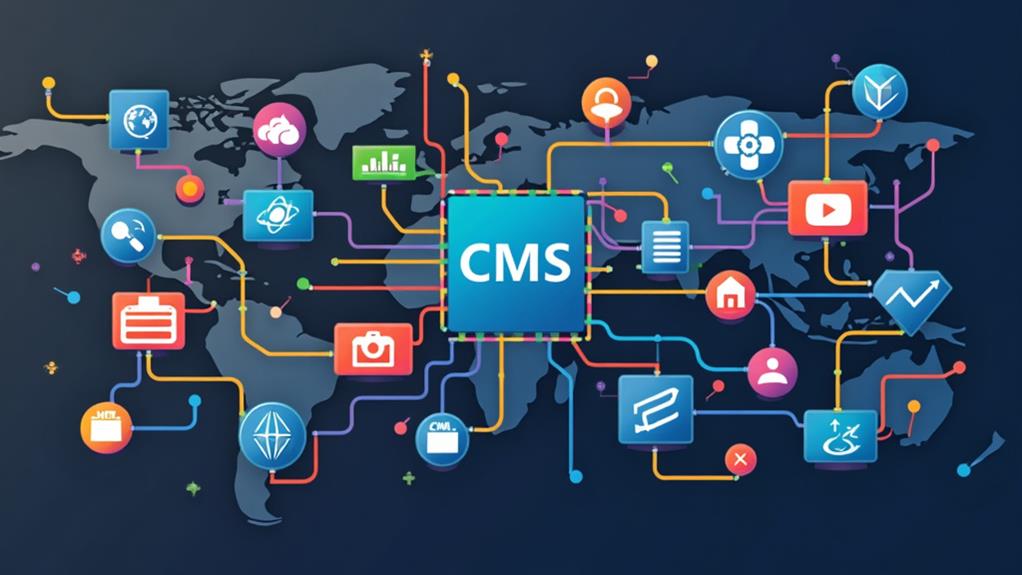
Navigating the landscape of Content Management Systems (CMS) can be daunting, but understanding each platform's unique strengths can streamline your decision-making process. When considering a CMS migration, it's crucial to assess how each platform aligns with your requirements for performance, security, and user experience.
| CMS Platform | Strengths | Ideal For |
|---|---|---|
| WordPress | User-friendly, extensive plugin ecosystem | Small to medium-sized businesses, bloggers |
| Drupal | Strong security, highly customizable | Large organizations, complex websites |
| Sitecore | Personalization, marketing automation tools | Enterprises focused on customer experience |
| Adobe Experience Manager | Seamless integration with Adobe products, powerful digital asset management | Large enterprises, multi-channel content management |
WordPress powers over 40% of websites globally, attributed to its simplicity and vast plugin ecosystem. Drupal is praised for its robust security and flexibility, making it ideal for large organizations with complex needs. Sitecore excels in delivering personalized content and marketing automation, perfect for enterprises emphasizing customer experience. Adobe Experience Manager stands out with its powerful tools for managing content and digital assets across multiple channels, integrating seamlessly with other Adobe products.
When planning your content migration, meticulously prepare your data to ensure a smooth transition. Selecting the right CMS platform involves evaluating scalability, usability, and the specific needs of your organization to find the optimal fit.