Best Practices for CMS User Permissions and Roles

Effectively managing user permissions and roles in a CMS is crucial for maintaining both security and operational efficiency. Start by defining clear roles such as Administrator and Editor, each with permissions tailored to their specific responsibilities. Adhering to the principle of least privilege minimizes unauthorized access and security risks. Regular reviews and comprehensive documentation are necessary to ensure ongoing compliance and system integrity.
Implementing Role-Based Access Control (RBAC) can streamline this process and enhance oversight. Here are the key steps and best practices to achieve this seamlessly:
- Define Roles and Responsibilities: Clearly outline the roles required for your CMS and specify the responsibilities and access levels for each role.
- Adopt the Principle of Least Privilege: Grant users the minimum level of access necessary to perform their roles effectively.
- Regular Audits and Reviews: Conduct periodic audits to review and adjust permissions as needed, ensuring they remain appropriate and secure.
- Comprehensive Documentation: Maintain detailed records of roles, permissions, and changes to provide transparency and facilitate audits.
- RBAC Implementation: Utilize RBAC to assign roles systematically, ensuring that permissions are managed consistently and efficiently.
By following these best practices, you can enhance security, maintain operational efficiency, and ensure a trustworthy CMS environment.
Importance of User Roles
User roles are essential in any content management system (CMS) because they define specific capabilities and access levels, enhancing both security and functionality. By assigning user roles and permissions, you ensure that each user can only access the features and data relevant to their responsibilities. Common user roles include Administrator, Editor, Author, Contributor, and Subscriber, each with tailored access rights suited to their unique duties within the CMS framework.
Implementing a principle of least privilege is crucial for reducing the risk of unauthorized actions. This approach ensures that users have only the permissions necessary for their tasks, thereby minimizing potential security vulnerabilities. Clear documentation of user roles and their respective permissions is also important; it aids in transparency and simplifies role management for administrators, making it easier to understand who has access to what.
Regularly reviewing and updating user roles is another key aspect of maintaining a secure CMS. As your organization evolves, so should your user roles and permissions to ensure they remain aligned with current needs and security compliance requirements. This proactive approach helps adapt to organizational changes seamlessly.
Setting Up User Roles
To begin setting up user roles in your CMS, log in and navigate to the user roles section. Clearly define each role by assigning it an appropriate name and specific purpose, ensuring that users understand their responsibilities. Next, assign permissions such as editing or publishing to align with each role's tasks and to prevent unauthorized access.
Define User Responsibilities
Establishing clear user responsibilities within a CMS is crucial for maintaining an organized and secure content management environment. Start by defining specific User Roles such as Administrator, Editor, Author, Contributor, and Subscriber. Each role should have tailored Permissions that align with their responsibilities, ensuring effective content management.
Adopt a minimum privilege model to assign only the necessary Permissions to each User Role. This minimizes the risk of unauthorized access and enhances overall security. For instance, an Administrator might have full access to all CMS features, while a Contributor might only have the ability to submit content for review.
Here are three key steps to help you define user responsibilities effectively:
- Create Specific User Roles: Develop roles such as Administrator, Editor, Author, Contributor, and Subscriber with clear, descriptive names and detailed descriptions of their responsibilities.
- Implement Minimum Privilege Model: Assign only the fundamental Permissions to each role, reducing the chances of unauthorized actions and maintaining a secure CMS.
- Regularly Review and Update Roles: Confirm that User Roles and Permissions reflect current organizational needs and workflows by conducting regular reviews and updates.
Additionally, provide training sessions to help users understand their roles and the importance of security protocols. This ensures everyone knows their responsibilities and adheres to best practices.
Assign Appropriate Permissions
Assigning appropriate permissions is crucial for effective CMS management. By aligning user roles with job responsibilities, you ensure individuals have the necessary permissions to perform their tasks effectively while minimizing unauthorized access risks. Implement a least privilege model by granting users only the permissions critical for their roles. This reduces potential security vulnerabilities and errors.
Utilize clear naming conventions and detailed descriptions for each user role. This enhances understanding and facilitates easy management of permissions within the CMS. Regularly review and update user roles and permissions to adapt to changes in team structure, project requirements, and security policies, ensuring ongoing relevance and effectiveness.
Role-based access control (RBAC) simplifies the assignment of permissions by grouping similar permissions together. This allows for efficient user role management and reduces complexity for end users.
Here's a quick guide to help you manage user roles:
| Role | Permissions | Description |
|---|---|---|
| Admin | Full access | Complete control over the CMS |
| Editor | Edit and publish content | Can create, edit, and publish content |
| Contributor | Create and edit content | Can create and edit content but not publish |
| Viewer | View content | Read-only access to view content |
Managing User Permissions
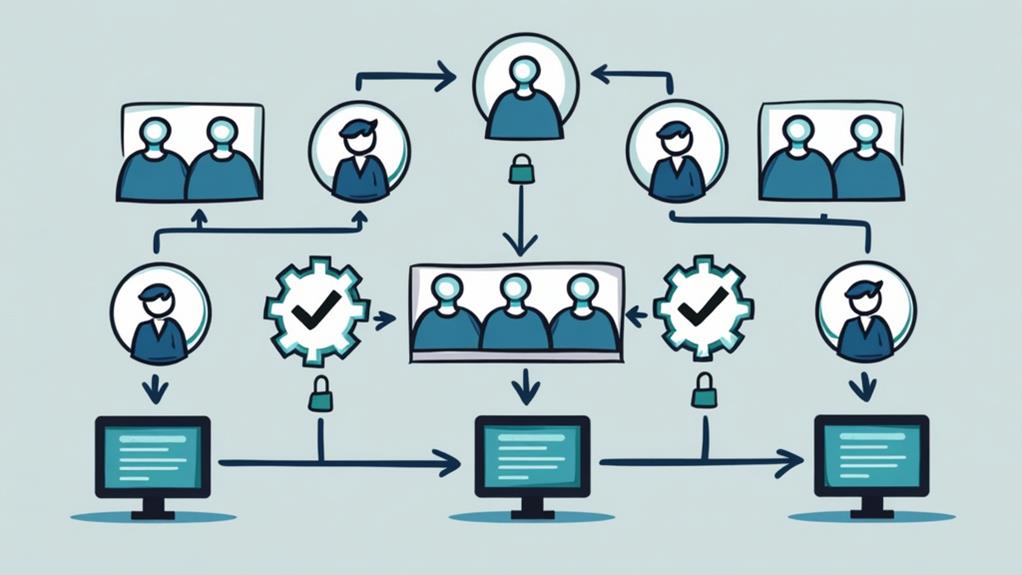
To manage user permissions effectively, start by applying the principle of least privilege, granting users only the access necessary for their specific tasks. Regularly review and update these permissions to reflect any changes in roles and responsibilities. Implement role-based access control (RBAC) to assign and adjust permissions efficiently, ensuring your system remains secure and well-organized.
Minimum Privilege Principle
Managing user permissions in a Content Management System (CMS) is crucial for maintaining security, and this can be achieved by adhering to the minimum privilege principle. This principle ensures that users have only the access necessary to perform their job functions, thereby minimizing the potential for security breaches and unauthorized changes to sensitive data.
To effectively manage user access, follow these steps:
- Implement Role-Based Access Control (RBAC): Employ RBAC to simplify the enforcement of the minimum privilege principle. Assign roles based on specific job functions, making it easier to manage and control permissions.
- Conduct Regular Audits: Perform regular audits of user permissions to ensure ongoing compliance with the minimum privilege principle. This enables timely adjustments as roles and responsibilities change.
- Document User Roles and Permissions: Keep thorough documentation of user roles and their associated permissions. This facilitates effective oversight and management of access control.
Permission Review Frequency
Regularly reviewing user permissions is crucial for maintaining a secure and efficient Content Management System (CMS). Conducting a review at least quarterly ensures that permissions align with current job responsibilities and organizational needs, thereby minimizing risks associated with outdated access.
Implement a structured process for reviewing user permissions, documenting every change along with its justification to maintain accountability and transparency. This practice not only keeps records clean but also aids in tracking the reasons for modifications, additions, or removals of permissions.
Leveraging automated tools can significantly streamline this process. These tools track and report changes in user permissions, making audits more efficient and reducing the likelihood of human error. Automated tracking tools are invaluable for identifying inconsistencies or unauthorized changes.
Include key stakeholders in the review process, such as department heads and IT security teams, to provide comprehensive oversight. This collaboration ensures adherence to the principle of least privilege, where users have access only to what they absolutely need.
Role-Specific Permissions
Role-specific permissions are fundamental to maintaining a secure and efficient Content Management System (CMS). Defining these permissions in alignment with user roles and responsibilities ensures that users can only access the actions necessary for their specific tasks. Implementing a principle of least privilege minimizes security risks by granting users only the required level of access for their job functions.
To effectively manage user permissions, you should:
- Categorize Permissions: Divide permissions into categories such as Read Only, Edit, and Administer. This categorization simplifies user interactions and clarifies the actions they are authorized to perform.
- Regularly Review and Update Permissions: As user responsibilities and organizational needs evolve, regular reviews ensure that role-specific permissions remain current, thereby maintaining compliance and security.
- Document Permissions Clearly: Maintain clear documentation of role-specific permissions to aid in user onboarding, provide a reference for audits, and facilitate effective access control management.
Minimum Privilege Model
The Minimum Privilege Model serves as a crucial security measure by confining user access rights to what is essential for their job functions. This restriction reduces the risk of unauthorized actions and data breaches. By limiting access to only the systems and data pertinent to their specific roles, the likelihood of accidental or malicious compromises is significantly lowered.
Implementing this model is not a one-time effort. Continuous review of user roles and permissions is necessary to ensure they align with current job responsibilities and organizational needs. Regular oversight accommodates changes in staff roles, ensuring no one has more access than required.
Adhering to the principle of least privilege also aids in compliance with regulations and standards that necessitate restricted access to sensitive data and systems. By limiting broad or unnecessary permissions, your organization can substantially reduce its attack surface. Regular audits and updates of user permissions are crucial for maintaining robust security integrity. Following the Minimum Privilege Model fosters a more secure and compliant environment.
Regular Role Reviews

Conducting role reviews is crucial for maintaining a secure and efficient CMS environment. Regular role reviews ensure that user permissions are aligned with current organizational needs and responsibilities, thereby minimizing the risk of unauthorized access. By conducting these reviews at least quarterly, you can proactively address changes in team structure, project assignments, and compliance requirements that may necessitate adjustments in user roles.
Here's how to streamline the process:
- Schedule Quarterly Reviews: Commit to reviewing roles every quarter. This helps identify discrepancies or outdated access rights, ensuring that only authorized users have the necessary permissions.
- Engage Team Members: Involve your team in the review process to gather feedback on the relevance and effectiveness of their assigned roles. This collaborative approach can reveal gaps or overlaps in permissions.
- Utilize Automated Tools: Use automated tools to continuously monitor role assignments and permissions. These tools can alert you to discrepancies, making regular role reviews more efficient and less error-prone.
Implementing these steps will help maintain a secure and efficient CMS by ensuring that only authorized users have appropriate access, thereby reducing risks and enhancing operational integrity.
Documentation Practices
When documenting user roles and permissions, it's crucial to use clear and consistent naming conventions to prevent confusion during reviews and updates. Ensure you maintain a comprehensive record of access levels to facilitate easy reference and compliance audits. Regularly update your documentation to reflect any changes, ensuring accuracy and relevance. This practice supports interoperability and builds trust in your documentation's reliability.
Clear Naming Conventions
Clear naming conventions are crucial for enhancing user comprehension and operational efficiency within a Content Management System (CMS). By implementing precise naming conventions for user roles and permissions, you enable users to navigate their responsibilities and access levels more effectively. Role names such as "Content Editor" or "Site Administrator" should accurately reflect the specific functions they perform, ensuring that users can easily identify their roles and associated permissions.
Consistent terminology across all roles and permissions is essential. It helps prevent confusion and mismanagement, enabling users to understand their responsibilities clearly. Descriptive role names that convey their purpose will also facilitate documentation, making it easier to review and update permissions as requirements evolve.
Here are three key practices for clear naming conventions:
- Use Descriptive Names: Ensure each role name reflects its function accurately, such as "Content Editor" for editing content.
- Standardize Formats: Adopt a standardized format like a verb-noun structure, e.g., "Manage Users" or "Approve Content."
- Consistent Terminology: Maintain uniform terminology across all roles to avoid confusion and streamline user training.
Regular Role Reviews
Regularly reviewing user roles and permissions is crucial for maintaining a secure and efficient Content Management System (CMS). By conducting these reviews, you can identify and mitigate unnecessary access, ensuring adherence to the principle of least privilege. This practice enhances security and operational efficiency.
To maintain consistency, establish a schedule for role reviews, such as quarterly or biannually. This regular assessment ensures that assigned permissions remain relevant and effective as your organization's needs evolve. Document any changes meticulously. Detailed records of user roles and permission modifications provide a clear account for accountability and facilitate audits, strengthening your security management.
Employ structured documentation practices with comprehensive descriptions of each role's permissions. This approach streamlines the review process and minimizes user confusion. Additionally, implement feedback mechanisms to gather insights from users during these reviews. Their input can inform necessary adjustments, enhancing the effectiveness of user roles within the CMS.
Access Level Documentation
Ensuring that user roles and permissions are accurately documented is essential for maintaining a secure Content Management System (CMS). Detailed documentation of access levels ensures that each user role is clearly defined, which aids in understanding permissions and responsibilities within the system.
To optimize this process, adhere to the following best practices:
- Regular Updates: Continuously update your access level documentation to reflect any alterations in user roles, permissions, or organizational requirements. This promotes ongoing clarity and security, ensuring that everyone is aware of their current access rights.
- Clear Naming Conventions: Use clear naming conventions and descriptions in your documentation. This helps users easily identify their roles and corresponding access rights, reducing confusion and potential errors.
- Centralized Repository: Maintain a centralized repository for all access level documentation. This facilitates easy updates and ensures authorized personnel can quickly access the information during audits or reviews.
Implementing a review process for your access level documentation ensures compliance with security policies and regulatory requirements. This minimizes the risks of unauthorized access and enhances the security of your CMS. Keeping your documentation clear and up-to-date fosters a more secure and efficient environment for all users.
Security Measures

In today's digital landscape, securing your CMS is more critical than ever. Implementing robust security measures is essential to prevent unauthorized access and protect sensitive data. One fundamental step is enabling two-factor authentication (2FA), which requires users to verify their identity using a second method, significantly reducing the risk of unauthorized access.
Regularly reviewing user permissions and roles is another crucial practice. Adhering to the principle of least privilege ensures users have access only to what they need for their job functions. Role-based access control (RBAC) can streamline permissions management by assigning roles that align with specific responsibilities.
Here's a quick overview of essential security measures:
| Security Measure | Description |
|---|---|
| Two-Factor Authentication (2FA) | Requires users to verify identity with a secondary method. |
| User Permissions Review | Regularly review and limit permissions to necessary functions. |
| Role-Based Access Control (RBAC) | Streamlines permissions by assigning roles based on responsibilities. |
| Automated Account Management | Disables or removes access for inactive users or those no longer needing it. |
Implementing these measures will enhance your CMS's security and safeguard your data. Do not underestimate the importance of these practices in maintaining a secure and efficient CMS environment.
User Training
Building on the foundation of robust security measures, user training is crucial for maintaining a secure CMS environment. Comprehensive training on user roles and permissions ensures users understand their responsibilities, thereby minimizing the risk of unauthorized access or errors. Regular training sessions should emphasize the principle of least privilege, helping users recognize the importance of limiting access to only the necessary permissions.
Role-based training (RBT) can significantly enhance understanding for users with substantial information security responsibilities. By focusing on their critical role in maintaining system security, RBT ensures these users are well-prepared to manage their permissions effectively. Incorporating real-life scenarios and hands-on exercises in training can greatly improve the retention and application of knowledge regarding user roles and permissions.
Ongoing training and annual refreshers are essential for reinforcing security protocols and adapting to any changes in user roles or permissions within the CMS. This approach ensures that users remain vigilant and up-to-date with the latest security practices.
To summarize, effective user training should include:
- Comprehensive training on user roles and permissions
- Emphasis on the principle of least privilege
- Role-based training with real-life scenarios and hands-on exercises
- Ongoing training and annual refreshers
Role-Based Access Control
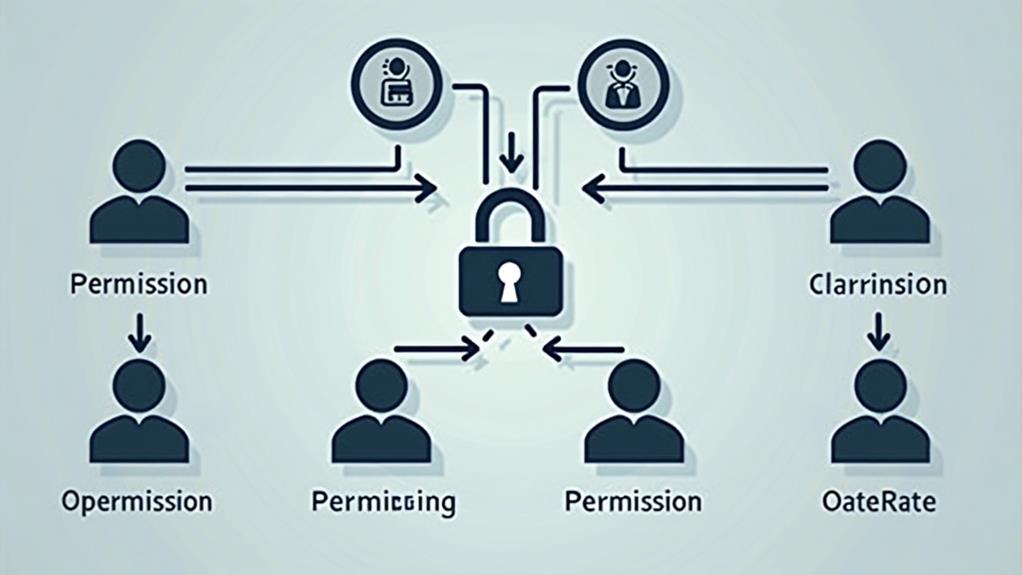
Role-Based Access Control (RBAC) streamlines the management of user permissions by assigning them according to specific roles. By leveraging RBAC, organizations can ensure that users only access the information necessary for their specific functions, thereby enhancing security through the principle of least privilege. This principle restricts user access to the minimum required for their job duties, mitigating the risk of unauthorized actions.
In an RBAC system, roles such as Administrator, Editor, Author, and Subscriber each possess distinct permissions aligned with their responsibilities within the content management system (CMS). For example, Administrators can manage system settings, Editors can modify content, Authors can create new posts, and Subscribers can view content. This precise delineation ensures that users have appropriate permissions for their tasks.
Implementing RBAC also facilitates auditing and compliance. With a clear overview of user roles and permissions, regular reviews and updates become more manageable. Organizations with specific requirements can create custom roles within the RBAC framework, granting necessary permissions without compromising security. This flexibility makes RBAC a versatile and robust access control system for any CMS.
Overcoming Challenges
Despite the robust framework of Role-Based Access Control (RBAC), managing user permissions in a Content Management System (CMS) can still pose challenges. Ensuring that permissions are correctly assigned and managed is essential for maintaining both security and efficiency. Here are some strategies to tackle common challenges:
- Regular Audits: Conducting frequent audits of user roles and permissions helps identify and rectify overlapping permissions that may cause confusion or security risks. An audit provides a clear overview of access levels, aiding in the fine-tuning of access control policies.
- Least Privilege Principle: Adopting the principle of least privilege ensures that users possess only the permissions necessary for their specific roles. This minimizes the risk of unauthorized actions and potential security breaches. Regularly review and update permissions to reflect changing roles and responsibilities.
- Automated Tools: Leveraging automated account management tools can streamline the user account and permission management process. These tools reduce the risk of human error in role assignment and facilitate maintaining accurate and current permissions.