Essential Features to Look for in a CMS

When selecting a Content Management System (CMS), it's crucial to focus on key features that can significantly impact your online presence. Prioritize user-friendly website creation tools and robust SEO capabilities to ensure your site is easy to build and can rank well in search engines. Responsive themes are essential for optimal viewing across all devices, and built-in analytics are important for tracking performance.
Security and scalability are critical factors that can heavily influence your decision. A secure CMS will protect your data and user information, while scalability ensures your website can grow with your business needs. Additionally, it's beneficial to consider features like multilingual support, e-commerce integration, and API compatibility to enhance the functionality and interoperability of your CMS.
Understanding these aspects can be a game-changer in choosing the right CMS for your needs.
User-Friendly Website Creation
Creating a user-friendly website has become more accessible, thanks to drag-and-drop interfaces that allow customization without requiring coding skills. Platforms like HubSpot's free website builder facilitate this process by offering a wide variety of pre-built themes and templates. With over 6,000 templates available, you can ensure your site aligns perfectly with your branding and marketing objectives from the outset.
One of the standout features of these platforms is their integrated marketing tools. These tools allow you to manage campaigns directly within the website builder, optimizing your site's performance and enhancing your marketing initiatives. This integration makes it easier to track campaigns, gather insights, and make data-driven decisions to boost user engagement.
Additionally, responsive and customizable themes ensure your website maintains a consistent design across all devices. Whether visitors access your site from a desktop, tablet, or smartphone, they will enjoy a seamless experience. This consistency is crucial for keeping users engaged and reducing bounce rates. With these powerful tools, creating a professional, engaging, and effective website is straightforward and stress-free.
Admin Dashboard and User Management
An intuitive website is the public face of your online presence, but an effective admin dashboard and user management system are crucial for smooth backend operations. The admin dashboard centralizes content creation and distribution, enabling you to schedule posts and monitor activities efficiently. This centralized control simplifies managing your website's daily activities and enhances operational efficiency.
User management features are essential for assigning roles within your CMS. In WordPress, for instance, you can designate users as Admins, Editors, Authors, Contributors, or Subscribers, each with customizable permissions. This hierarchical access enhances security and provides precise control over user capabilities.
Publishing controls are another critical component. They establish workflows for content creation and approval, ensuring that only authorized users can publish content. This maintains the quality and accuracy of your site, preventing unauthorized or subpar posts from going live.
Additionally, the dashboard offers performance analytics to track your site's effectiveness and inform your content strategy. Threat monitoring tools are also vital, helping you detect and mitigate potential vulnerabilities or unauthorized access to maintain your site's security.
Content Creation and Editing Tools

Creating compelling content requires powerful creation and editing tools. When selecting a Content Management System (CMS), ensure it includes a robust WYSIWYG editor for seamless content creation. This editor allows you to visually format text and media without needing coding skills, streamlining your workflow.
Version control is essential for tracking changes, reverting to previous versions, and collaborating effectively. This feature ensures that significant updates are never lost and can always be restored if needed. A media library is crucial for organizing images and videos, providing quick access to multimedia elements. This makes it simple to integrate visuals into your posts and pages, enhancing their appeal and engagement.
Advanced scheduling capabilities are vital for planning and automating content publication. This allows you to align updates with marketing strategies or events, ensuring timely and relevant posts. Built-in SEO tools are indispensable for optimizing your content. These tools offer suggestions for keyword usage, meta descriptions, and alt text for images, improving search engine visibility and driving more traffic to your site.
Responsive and Customizable Themes
After mastering content creation tools, it is crucial to focus on how your website looks and performs across various devices. Responsive themes are essential for ensuring that your site functions well and maintains a professional appearance, whether accessed on a desktop, tablet, or smartphone. Mobile optimization is key to enhancing user experience and reducing bounce rates, ensuring that visitors remain engaged with your content.
Customizable content sections within these themes allow you to tailor your site's layout to align perfectly with your brand identity. Many CMS platforms provide a variety of pre-made templates, facilitating quick content publication without extensive design efforts. This feature is particularly advantageous for e-commerce sites, where responsive themes with grid layout options can effectively display and organize products.
Multi-language Support

Navigating the global market becomes significantly more manageable with multi-language support in your Content Management System (CMS). This functionality allows you to create and manage page variants in multiple languages, enabling you to cater to diverse audiences and broaden your reach. When selecting a CMS with multi-language capabilities, consider how it can streamline content management and enhance user experience.
Key features to look for in a CMS with robust multi-language support include:
- Language switcher module: Enhances user accessibility by allowing visitors to easily switch between different language options on your website.
- Automatic grouping of language variants: Simplifies content management, making it easier to oversee and update content across multiple languages.
- Testing capabilities: Ensures that content is accurate, culturally appropriate, and relevant for different regions.
Effective multi-language support also plays a crucial role in optimizing content for search engines. By tailoring your content for various languages, you improve your visibility in international search results, driving more organic traffic from different regions. A CMS that supports these multi-language features empowers you to deliver a seamless, localized experience for your global audience. This not only enhances your brand's credibility but also ensures that your content resonates with users, irrespective of their location.
Built-in SEO Tools
Navigating the complexities of multi-language support is crucial for reaching a global audience, but optimizing your content for search engines is equally important. Built-in SEO tools in a CMS are essential, providing automated suggestions for page titles, meta descriptions, and alt text. These tools ensure your content follows best practices, enhancing your site's visibility on search engines.
Many CMS platforms go further by automatically generating XML sitemaps. This feature simplifies indexing by search engines, significantly improving your site's discoverability. Integrated keyword analysis tools are another critical component. They help you identify and incorporate relevant keywords, ensuring your content matches what your audience is searching for.
Real-time SEO recommendations are transformative. As you create content, these features guide you on improving your pages for better search rankings. This continuous support ensures you're always optimizing effectively. Without these built-in SEO tools, tracking and analyzing your site's performance would be daunting. They enable you to measure the effectiveness of your SEO strategies over time, making it easier to adjust and refine your approach.
Analytics and Reporting
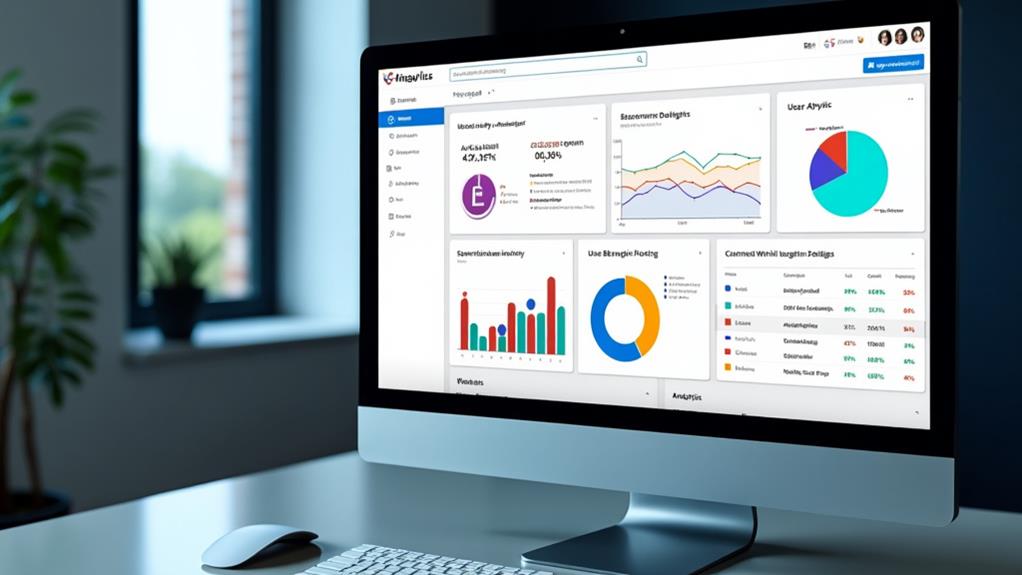
With integrated analytics tools in your CMS, you can effortlessly track key performance metrics such as page views, bounce rates, and user demographics. These insights provide a clear understanding of your website's effectiveness. Understanding user behavior allows you to identify which content resonates most, enabling you to optimize your strategies based on data. This empowers you to make informed decisions, ensuring your content continuously engages and converts your audience.
Integrated Performance Metrics
In an ever-changing online environment, integrated performance metrics within a CMS are essential for optimizing your web presence. With built-in analytics, you can monitor critical metrics such as website traffic, user engagement, and conversion rates. These insights are crucial for content optimization, ensuring your site consistently achieves its objectives.
The built-in reporting features generate detailed traffic reports, allowing you to pinpoint popular content and understand user behavior across various demographics and devices. This data enables you to tailor your content more effectively, enhancing overall website performance. Real-time analytics dashboards provide immediate data, allowing you to adjust your marketing strategies promptly based on current performance metrics.
A robust CMS includes:
- A/B testing capabilities: Assess different content variations to make data-driven decisions.
- Comprehensive traffic reports: Identify which content resonates most with your audience.
- Real-time data access: Facilitate quick adjustments to improve engagement and conversion rates.
User Behavior Insights
Understanding user behavior is critical for optimizing your website's performance. Integrated analytics tools are essential in any CMS, as they track key performance metrics such as page views, bounce rates, and user engagement. These insights are invaluable for refining your content strategy to meet audience demands.
User behavior analysis offers a deeper look into demographic data and device usage. By understanding who your visitors are and how they access your site, you can create targeted content tailored to specific audiences. For example, if a significant portion of your users access your site via mobile devices, you can prioritize mobile-friendly content.
Traffic report generation is another crucial feature. It helps you identify peak usage times and popular content types, enabling informed decisions about future content. Additionally, built-in analytics often include real-time monitoring of user interactions, providing immediate feedback for swift content adjustments.
A/B testing capabilities are also fundamental. They allow you to experiment with different content formats or layouts, helping you determine which approaches most effectively engage users. In summary, robust built-in analytics are vital for a data-driven content strategy.
E-commerce Functionality
E-commerce functionality within a CMS is essential for any business aiming to succeed in the digital marketplace. A CMS with comprehensive e-commerce features ensures that your online store operates smoothly and efficiently. Key components include:
- Product Listings: Display your products with detailed descriptions, high-quality images, and transparent pricing to help potential customers make informed decisions.
- Secure Payment Gateways: Integration with reputable and secure payment gateways is crucial. It facilitates safe transactions, builds customer trust, and ensures compliance with financial regulations.
- Inventory Management Tools: These tools help you monitor stock levels, manage orders, and automate low-stock notifications, thereby streamlining your operations.
Equally important is customer account management. This feature enables users to create profiles, track their order history, and manage personal information, enhancing the shopping experience while providing insights into customer preferences and behaviors.
Additionally, incorporating marketing tools within the CMS can significantly boost your sales and customer engagement. Features like promotional campaigns, discount codes, and email marketing capabilities allow you to effectively reach your audience and drive conversions.
Ensure your CMS includes all these elements to guarantee a seamless and successful e-commerce operation.
Security Features

The significance of robust CMS security features cannot be overstated. Essential measures include implementing SSL certificates, firewalls, and user access controls to safeguard your data. Additionally, regular software updates and patches are crucial to address vulnerabilities and maintain system security.
Robust Security Measures
Securing your content management system (CMS) is essential for protecting sensitive data and ensuring smooth operations. Implementing an SSL certificate encrypts data transmitted between users and the server, safeguarding sensitive information like login credentials and payment details from unauthorized access.
Role-based access controls are another critical feature. These allow you to customize user permissions, ensuring that only authorized personnel can access or modify sensitive areas of your website, thereby reducing the risk of unauthorized content edits or data breaches.
Consider incorporating these additional security measures:
- Two-factor authentication (2FA): Adds an extra layer of security by requiring an additional verification step beyond just a password.
- Web Application Firewalls (WAF): Protect your CMS from malicious traffic and various cyber threats.
- Regular security scans and monitoring tools: Detect and address vulnerabilities promptly to maintain the integrity of your website.
Incorporating these robust security measures will help keep your CMS secure, protecting both your data and your users' trust.
Regular Updates and Patches
Maintaining your CMS's security goes beyond initial setup and robust measures; it requires ongoing vigilance through regular updates and patches. These updates are crucial for addressing vulnerabilities that could be exploited by malicious actors. Many cyber attacks target known vulnerabilities in outdated software, making it essential to keep your CMS updated.
A clear schedule for updates ensures that you can stay informed and implement them promptly. These updates often include security patches that fix identified weaknesses, protecting your user data and site integrity. Failing to keep your CMS updated can expose you to significant security risks, as 60% of cyber attacks exploit known vulnerabilities in outdated software.
To enhance site security, many CMS platforms offer automated updates. This feature helps maintain security without constant manual intervention. By leveraging automated updates, you ensure that your CMS's security features are always current, significantly reducing the risk of cyber attacks. Regular updates and patches are your primary defense in the ever-evolving landscape of cyber threats.
Scalability Options
A robust CMS with scalability options ensures your platform can grow effortlessly as your business expands, handling increased traffic and content volume without compromising performance. When choosing a CMS, confirm it supports flexible pricing plans that adapt to your growth trajectory and budgetary needs.
To keep your audience engaged, look for these fundamental features:
- Integration Capabilities: A scalable CMS should seamlessly integrate with other platforms and tools, allowing you to expand functionality and stay current with new technologies.
- Multi-Tier Architecture: Utilizing microservices to separate content management from presentation ensures independent updates and optimizations, enhancing scalability.
- Regular Updates: Regular updates and maintenance ensure your CMS can handle increased workloads and evolving user demands efficiently.
Additionally, a scalable CMS must accommodate increased traffic and content volume seamlessly. Multi-tier architecture using microservices is crucial for this, as it separates content management from presentation. This allows independent updates and optimizations, ensuring smooth performance.
Lastly, regular updates are imperative. They ensure your CMS remains robust against growing demands and evolving user needs. Look for a CMS that prioritizes frequent updates and maintenance to keep your site running smoothly as it scales. By focusing on these factors, you can select a CMS that grows with your business.