Using CMS Widgets to Add Functionality to Your Website

Harnessing the power of CMS widgets can significantly enhance user engagement and streamline your website's content management. These widgets, which include options like Image Galleries and Custom Video Players, provide versatile solutions tailored to your business needs. By adjusting their properties and tweaking their appearances, you can align these tools with your brand's identity, thereby creating a seamless user experience. However, what if the built-in widgets don't meet all your requirements? This is where custom widgets come into play. By creating your own widgets, you can fully control your site's markup and functionality, ensuring it stands out in a competitive online landscape.
Widgets Overview
Widgets in Sitefinity CMS serve as the foundation for your website's content and functionality, offering a modular approach to design. These widgets enable you to control what appears on your web pages without requiring any coding knowledge. Built-in widgets such as News, Image Gallery, and Video Gallery allow you to display content effortlessly, thereby enhancing your site's appeal and functionality.
Sitefinity CMS enables precise content configuration through tagging and classification, ensuring your content is relevant to your audience. For example, you can tag articles to appear in a News widget based on specific topics, guaranteeing that users see the most pertinent information.
If the built-in options don't fulfill all your requirements, you have the flexibility to develop custom widgets. These custom widgets offer tailored functionality and integrate seamlessly with your existing page templates. Developers familiar with ASP.NET controls will find it straightforward to create and implement these custom solutions.
Additionally, special widgets such as field controls and utility widgets facilitate administrative tasks, making site management more efficient. In Sitefinity CMS, widgets are not merely tools; they are essential components that enhance your site's overall user experience.
Set Widget Properties
To modify a widget's functionality and tailor its content presentation, you need to set widget properties through the widget designer in Edit mode. This customization allows you to adjust settings, such as selecting specific blog posts to display, thereby enhancing user engagement. Comprehensive documentation is available to guide you through configuring these properties effectively.
Modify Widget Functionality
Tailoring widget functionality to meet your specific content and display requirements is crucial for optimizing website performance. Using the widget designer in configuration mode, you can modify widget properties to enhance user engagement and interaction. For example, with the Blog Posts widget, you can specify which blog to feature and the number of posts to display, thereby offering targeted content that boosts user involvement.
Modifying widget properties goes beyond aesthetics; it improves user interaction by making content more relevant and accessible. In configuration mode, you can fine-tune settings to present content more effectively on your site. This customization ensures that you deliver the most pertinent information to your audience, keeping them engaged for longer periods.
The widget designer provides an intuitive interface for making these adjustments. Should you need assistance, comprehensive documentation is readily available to guide you through the process. This documentation thoroughly explains how to configure widget properties, enabling you to optimize each widget's functionality to meet your specific needs. Utilizing these tools can significantly enhance your website's efficiency and user satisfaction.
Customization via Edit Mode
After refining functionality in configuration mode, let's explore customizing widget properties directly through Edit mode. Accessing the widget designer in Edit mode allows you to tailor various aspects of your widgets, ensuring they meet your specific needs. For instance, the Blog Posts widget offers multiple configurable properties, such as selecting which blog to display and determining the number of posts shown.
Customization through the widget designer goes beyond mere setting adjustments; it's about enhancing content display to improve user interaction and engagement. By configuring these properties, you can align the widget's functionality and appearance with your site's branding and goals.
In Edit mode, you can easily navigate through the widget properties to make real-time changes. This level of control lets you immediately see how adjustments impact the content displayed and overall site aesthetics. Comprehensive documentation is available to guide you through the process, ensuring you set widget properties effectively.
Tailor Content Presentation
Customizing widget properties in Sitefinity CMS allows you to tailor content presentation to your audience's specific needs. By adjusting settings such as those in the Blog posts widget, you can select particular blogs and determine the number of posts to display. Access these settings via the widget designer in Edit mode. This tool helps ensure your content aligns with user preferences.
For example, the Blog posts widget lets you manage content display through tagging and classification, enabling you to highlight the most relevant posts and enhance user engagement. The widget designer provides a user-friendly interface for these adjustments, making it easy to modify settings and improve content presentation.
Change Widget Appearance
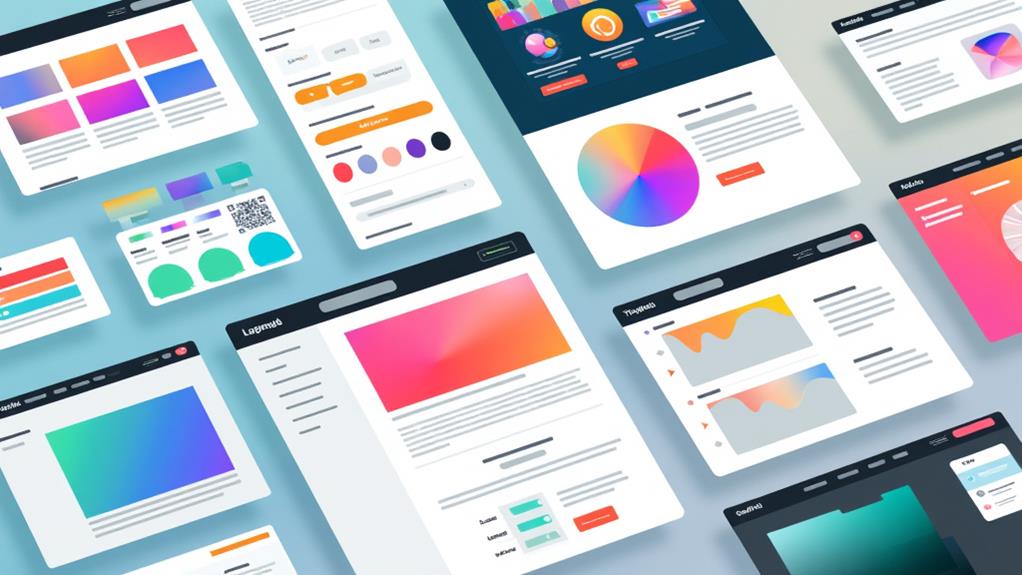
Now, let's focus on enhancing your widget's appearance to improve your site's visual design. Customizing widget templates ensures consistent brand aesthetics and significantly enhances the user experience. By tailoring the look of your blog posts, news, and events, you will make your content more engaging and visually appealing.
Customize Visual Design
Customizing the visual design of widgets in Sitefinity CMS is a powerful method to align your website's appearance with your brand identity. Through widget templates, you can modify the look of built-in widgets such as Blog posts, News, and Events, which is essential for a cohesive branding strategy that enhances user experience.
When you adjust widget templates, you are not merely altering the visuals; you are making your content more engaging and tailored to your audience. Consistent branding through these designs can significantly impact how users interact with and retain information on your site. The visual design of your widgets can be the deciding factor between a visitor staying to explore further or leaving after a brief glance.
Sitefinity provides comprehensive documentation to assist you in the customization process, ensuring that you can implement visual changes effectively and without difficulty. Whether you aim for a sleek, modern look or a vibrant, playful aesthetic, the customization options cater to diverse design preferences. By aligning your widget designs with your brand identity, you not only enhance the aesthetics of your site but also create a more engaging user experience that encourages repeat visits.
Consistent Brand Aesthetics
Achieving consistent brand aesthetics through the customization of widget appearances is vital for maintaining a unified and professional look across your website. Tailoring widget appearances enhances user engagement and aligns with your comprehensive branding strategy. By applying widget templates to various built-in widgets such as Blog posts, News, and Events, you can ensure a cohesive visual identity throughout your site.
Customization options for widgets are extensive. You can modify colors, fonts, and layouts to match your website's aesthetic and style guide. This not only enhances design consistency but also reinforces brand recognition, making your site more memorable.
Here's how you can maintain consistent brand aesthetics:
- Color and Font Adjustments: Customize the colors and fonts of your widgets to align with your brand's color palette and typography standards.
- Layout Customization: Modify the layout of widgets to align with your site's design elements, ensuring seamless visual integration.
- Widget Templates: Use pre-designed, customizable widget templates to provide a uniform look across different sections of your site.
Following detailed documentation will guide you through best practices, ensuring your customization efforts align with your branding and design goals. This approach not only enhances website aesthetics but also uses functionality to create a polished and engaging user experience.
Enhance User Experience
Enhancing user experience on your website starts with optimizing widget appearances to make your content more visually appealing and easier to navigate. Sitefinity's widget templates provide robust tools for visual customization of built-in widgets, including Blog posts, News, and Events. Customizing these widgets ensures consistent branding across your website, which enhances user engagement and satisfaction.
To implement new widget designs, use the widget designer in Edit mode. This feature allows you to tailor content presentation to meet specific functionality requirements by making direct changes. For example, you can display blog posts in various styles to increase their attractiveness. Additionally, the configuration mode of widgets enables easy management and adjustment of settings to fit your needs.
Comprehensive documentation offers step-by-step guidance on effectively using widget templates, ensuring you can modify appearances to match your design preferences. By improving the visual customization of built-in widgets, you can significantly boost user interaction. Visually appealing widgets make content more engaging, thereby enhancing overall user satisfaction.
Create Custom Widgets
Creating custom widgets in Sitefinity CMS enables you to address specific business needs effectively. By developing custom widgets, you can enhance the functionality of Sitefinity CMS, integrating your own solutions with the platform's built-in widgets. The Sitefinity CMS VSIX tool streamlines the creation and customization process for developers.
Benefits of Custom Widgets:
- Flexibility: Add resources like JavaScript or custom logic to align with organizational goals.
- Tailored Solutions: Configure widgets to meet specific business requirements, ensuring precise functionality.
- Improved Engagement: Integrate unique features to increase user interaction and engagement.
The Sitefinity CMS framework fully supports .NET Core widgets, offering further flexibility for developers. Comprehensive tutorials and documentation are available to guide you through the widget creation process, ensuring you adhere to best practices. By leveraging these tools and resources, you can enhance your website's capabilities and deliver a more personalized user experience.
Control the Markup
Controlling the markup in Sitefinity CMS widgets allows for precise customization of the HTML output, ensuring it aligns seamlessly with your design requirements. Leveraging ASP.NET MVC technology, you can fine-tune the generated markup for each widget, which is crucial for implementing and customizing functionality to match your site's unique aesthetic and operational needs.
Sitefinity's widgets are designed with a mobile-first approach, ensuring responsiveness and an optimal user experience across various devices. The integration of widgets, designers, and templates within Sitefinity follows simple conventions, enhancing development efficiency. This enables the implementation of complex designs with ease while maintaining consistency and performance.
Key Features of CMS Max Widgets
With CMS Max Widgets, you can effortlessly enhance your website's functionality without extensive coding knowledge. These widgets provide plug-and-play capabilities, making it simple to improve your site's features and user experience. You can use them to display diverse content, from LinkedIn posts to images and videos, thereby increasing engagement and interactivity.
A standout feature is the ability to create and configure custom settings, allowing you to tailor these widgets to meet your specific needs and preferences. This ensures seamless integration with your site's design and objectives. Additionally, these widgets support viewing and downloading files in various formats, offering flexibility in content presentation and sharing.
Here's a snapshot of what you can achieve with CMS Max Widgets:
- Customizable Display: Adjust settings to showcase LinkedIn posts, images, videos, and more for enhanced content engagement.
- Interactive Calculators: Utilize built-in calculators to promote user interaction and potentially boost conversions.
- Flexible File Support: Enable users to view and download files in multiple formats, adding versatility to your content delivery.
These features ensure that CMS Max Widgets provide a robust, adaptable solution for improving your website's performance and user experience.
Unique Selling Points of Elfsight Widgets

Elfsight Widgets distinguish themselves with a seamless, cost-free integration process that includes prompt setup assistance. This allows for website enhancement without the need for a developer team, making it ideal for individuals and small businesses. With Elfsight Widgets, you can effortlessly add advanced functionalities, enriching your site's user experience.
A notable strength of Elfsight Widgets is their mobile-friendly design. These widgets automatically adjust to any device or screen resolution, ensuring optimal performance on smartphones, tablets, and desktops. This enhances user experience by making your website more accessible and engaging.
Elfsight also offers a wide array of customizable design features. Whether you aim to modify the appearance or functionality of a widget, you have the flexibility to align it seamlessly with your branding and specific needs. Additionally, regular updates are provided at no extra cost, ensuring you consistently have access to the latest features and improvements.
Widget Integration Process
To integrate a widget into your website, follow these steps to ensure a seamless and effective process:
- Select the Widget: Begin by choosing the desired widget from the options available in your CMS dashboard. Sitefinity CMS offers a variety of built-in widgets that can display pre-existing content, which can be tailored to suit your specific requirements.
- Configure Settings: Modify the widget settings to align with your website's goals and design. This step is crucial, as it allows you to create and configure properties within the widget settings to tailor its functionality to your needs.
- Save and Generate Code: After adjusting the settings, save your changes. This action generates the necessary code for the widget integration.
- Embed the Code: Embed the generated code into the chosen location on your site, ensuring it is placed precisely where you want the widget to appear.
- Confirm Integration: Verify the integration by checking the live site to ensure the widget appears and functions as intended.
Customization and Support Options
Customizing widget features through the admin panel is straightforward, allowing you to tailor settings to your specific needs with ease. With the built-in Sitefinity CMS widgets, you can create and customize various elements to meet your functionality requirements seamlessly. This ensures that your website not only looks great but also performs efficiently.
If you encounter any issues or need guidance, the support center is readily available for inquiries. Quick response times are a priority, so you won't be left waiting long for a resolution. For more personalized assistance, email support is also available, enhancing your user experience and satisfaction. The team is dedicated to providing the resources you need to resolve any problems effectively.
Providing feedback about this content is encouraged, as it helps improve the comprehensive support system. By tailoring the customization of widget features and leveraging the efficient CMS Max templates, you can achieve consistent performance across different implementations. With robust support options in place, you can focus on optimizing your website's functionality without worrying about technical issues. Hence, your user experience and satisfaction remain at the forefront of your website management efforts.