Enhancing User Experience With Wordpress Page Builders
Enhancing your website's user experience is crucial, and WordPress page builders offer an effective solution. These tools feature intuitive drag-and-drop interfaces, enabling you to customize layouts without requiring any coding skills. With pre-designed templates and extensive customization options, you can ensure your site looks professional and aligns with your brand's identity. Additionally, integrating various tools and plugins can add interactive elements like animations and quizzes, making your site more engaging. Given the plethora of features and builders available, how can you choose the one that best meets your needs? Let's explore the possibilities.
Benefits of WordPress Page Builders
By utilizing WordPress page builders, you can quickly and easily personalize your website through an intuitive drag-and-drop interface. This user-friendly approach enhances the overall user experience by allowing you to design your site without needing any coding skills. With access to a wide array of pre-designed templates, you can set up and design your website swiftly, ensuring a professional appearance with minimal effort.
WordPress page builders offer extensive customization options. You can modify colors, fonts, and layouts to align with your brand's identity, providing the flexibility to create a unique online presence. This adaptability ensures that your website not only looks appealing but also aligns perfectly with your vision and goals.
Integration capabilities with various tools and plugins further enhance your site's functionality. Whether you need to add e-commerce features, contact forms, or SEO tools, WordPress page builders facilitate seamless integration.
Additionally, these builders offer cost-effective solutions. Rather than hiring expensive developers, you can achieve a sophisticated design and robust functionality independently. This not only saves you money but also grants you control over your website's customization and updates.
Top Features to Look For
When selecting a WordPress page builder, prioritize those that offer drag-and-drop functionality for effortless customization. Ensure the builder provides a variety of pre-designed templates to save time and achieve a professional appearance. These features enable the creation of visually appealing pages without requiring coding skills.
Drag-and-Drop Functionality
Drag-and-drop functionality in WordPress page builders allows users to easily arrange and customize their website's layout without any coding knowledge. This feature empowers users to control the design process by dragging and dropping elements such as text, images, and buttons to create an appealing and structured website.
The user-friendly interface of these page builders makes customization straightforward and accessible. Key benefits include:
- Time Efficiency: By eliminating the need for manual coding, you can save significant time and focus more on the creative aspects of your website.
- Flexibility: Features like grid layouts, column resizing, and element duplication offer enhanced customization options, enabling you to fine-tune your website's design to match your vision precisely.
- Ease of Use: The intuitive drag-and-drop system is designed for all skill levels, empowering both beginners and experienced developers to create professional and visually appealing websites effortlessly.
Incorporating drag-and-drop features in your WordPress page builder can significantly improve your website's design and user experience.
Pre-Designed Templates
Pre-designed templates offer an efficient solution for building a visually appealing website quickly. These templates come with ready-made layouts tailored to various industries, such as retail, healthcare, and creative fields, simplifying the website setup process.
Each template includes placeholder content, like text and images, that helps you envision the final appearance of your site, significantly reducing the time and effort required during the initial design stages. Furthermore, these templates provide extensive customization options, allowing you to personalize colors, fonts, and layouts to ensure they align perfectly with your brand identity and visual design preferences.
Popular Page Builders Comparison
To help you choose the best tool for your needs, let's compare some of the most popular WordPress page builders available today. These plugins enable users to create stunning websites without needing any coding skills, greatly enhancing website design and UX design. Here are some top contenders:
- Elementor: With over 5 million active installations, Elementor is the most popular page builder. It's an all-in-one solution that offers robust features to create dynamic web pages. Its drag-and-drop interface is user-friendly, making it perfect for both beginners and advanced users.
- Beaver Builder: Known for its simplicity and ease of use, Beaver Builder is a favorite among users who appreciate straightforward tools. This plugin allows you to create beautiful, responsive websites with minimal effort. It's particularly useful for those who prefer a clean and intuitive interface.
- Brizy: Brizy Page Builder takes a unique approach with its focus on intuitive design and user-friendly features. It's perfect for users who want a seamless and efficient experience when creating their web pages. The drag-and-drop functionality makes it easy to craft professional-looking websites quickly.
Choosing the right page builder can have a significant impact on your website's design and user experience. Consider these options to find the best fit for your needs.
Customizing Layouts
Customizing layouts with WordPress page builders allows you to effortlessly create unique and visually appealing web pages. These builders offer drag-and-drop interfaces, eliminating the need for coding knowledge to achieve stunning results. With just a few clicks, you can rearrange elements, change colors, fonts, and sizes to create designs that match your vision.
Starting with pre-designed templates provides a solid foundation, so you're not beginning from scratch. From there, you can tweak every element to suit your brand's style. For those seeking even more control, Custom CSS support enables advanced design adjustments, allowing you to fine-tune every detail of your layout.
In today's multi-device world, mobile responsiveness is crucial. WordPress page builders ensure your layouts look great on any device, from desktops to smartphones, offering a seamless user experience. The combination of these tools and features provides advanced design control, enabling you to achieve professional, unique designs. With WordPress page builders, layout customization becomes a straightforward and enjoyable process.
Adding Interactive Elements
Enhancing User Engagement with Interactive Elements
Adding interactive elements to your WordPress site can significantly boost user engagement and enrich the overall user experience. Utilize animations to captivate visitors and incorporate interactive quizzes to maintain their involvement. These features not only enhance the visual appeal of your site but also encourage users to spend more time exploring your content, thereby increasing the likelihood of return visits and higher engagement rates.
Boosting Engagement Through Animations
WordPress page builders can significantly boost user engagement by incorporating interactive animations such as hover effects, scroll-triggered animations, and smooth transitions. These animations not only capture users' attention but also enhance their overall experience. By integrating subtle animations into buttons, images, and text, you create a dynamic and engaging interface.
Here are three effective ways to utilize animations for increased user engagement:
- Hover Effects: Applying hover effects to buttons and links offers immediate feedback, indicating clickability and enhancing the intuitive nature of the interface. This interactivity makes your site feel more responsive and engaging.
- Scroll-Triggered Animations: Introducing animations that activate upon scrolling can spotlight key content sections, improving information retention. This technique keeps users interested as they explore your site, thereby reducing bounce rates.
- Smooth Transitions: Employing smooth transitions between sections or pages improves the flow of your website, creating a seamless user experience. This reduces cognitive load and encourages users to stay on your site longer.
Implementing Interactive Quizzes
Integrating interactive quizzes into your WordPress site can significantly boost user engagement and provide valuable insights. Utilizing WordPress page builders like Elementor or Brizy, you can seamlessly add interactive quizzes that captivate your audience. These quizzes are not only enjoyable but also effective in retaining visitors, thereby enhancing user retention.
Interactive quizzes enable you to gather essential user data, offering a clearer understanding of your audience's preferences and behaviors. This data is invaluable for crafting targeted content that resonates with your users or for making personalized product recommendations. By better understanding your users, you can enhance their experience and encourage repeat visits.
Furthermore, interactive quizzes serve multiple purposes, from educating users about your products or services to collecting feedback. This versatility makes them a powerful tool for increasing user engagement. With Elementor or Brizy, integrating these quizzes into your site becomes a straightforward process, allowing you to focus on creating engaging and informative content.
Incorporating quizzes effectively transforms passive visitors into active participants, enriching their experience and providing actionable user insights. Leveraging these insights enables you to create a more engaging, personalized, and ultimately successful website.
Optimizing Website Performance
To enhance your website's performance using WordPress page builders, employ features such as caching, minification, and lazy loading to accelerate loading times. These techniques reduce server load and ensure smooth operation, thereby improving the user experience.
- Optimize for Responsive Design: Ensure your page builder supports responsive design capabilities. This will enhance your site's appearance across all devices, boosting user experience and mobile SEO. A responsive site can significantly improve search engine rankings.
- Implement SEO-Friendly Practices: Leverage the SEO tools provided by WordPress page builders. Proper use of meta tags, alt text for images, and clean URLs can enhance your site's visibility on search engines, driving more organic traffic.
- Use Performance Monitoring Tools: Integrate tools like GTmetrix and Pingdom to monitor your website's speed and performance. Regularly track these metrics to identify issues and improve loading speeds. These insights are crucial for maintaining a fast, efficient website.
Consistently update plugins and themes to ensure compatibility and security. Keeping up with updates helps prevent potential performance issues and security vulnerabilities. Regular maintenance and optimization are essential for maintaining your website's optimal performance.
Drag-and-Drop Functionality
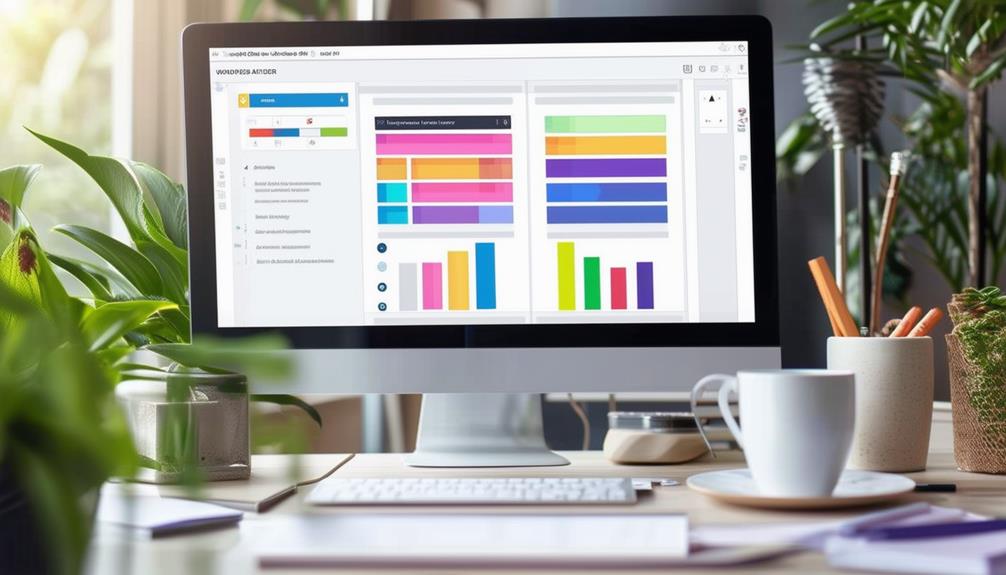
With drag-and-drop functionality, WordPress page builders allow you to customize your website's layout effortlessly, without requiring any coding knowledge. This intuitive feature enables you to click on elements such as images, text, or buttons, drag them to your desired locations, and drop them into place. This capability empowers users to create visually interactive web pages that meet their specific needs and preferences.
No technical skills are needed to fully utilize this feature. WordPress page builders streamline the customization process, allowing you to focus on design and creativity rather than on coding. This enables you to quickly and efficiently adjust your website layouts to align with your vision.
Drag-and-drop functionality enhances user experience by making website design more accessible and enjoyable. It provides the flexibility to experiment with different layouts, arrangements, and designs without the need for manual coding. You can test various combinations and instantly see the results, facilitating the creation of a personalized and engaging website.
Choosing the Right Page Builder
Selecting the appropriate WordPress page builder is essential for crafting a website that aligns with your design and functionality objectives. With numerous options to choose from, consider factors such as ease of use, customization capabilities, and responsiveness. Here's a guide to help you enhance your user experience:
- Ease of Use and Features: Opt for WordPress page builders that offer intuitive drag-and-drop interfaces and a variety of pre-designed templates. This simplifies the design process, even for those without coding expertise.
- Integration and Compatibility: Ensure the page builder you select has robust integration capabilities and is compatible with various plugins. This allows you to add functionalities to your site without encountering conflicts or performance issues.
- Performance and Support: Assess performance metrics and user reviews. A page builder that performs reliably under different conditions and has strong community support will help you avoid potential issues.
Enhancing User Engagement
Boosting user engagement on your WordPress site involves integrating interactive elements such as sliders, galleries, and forms to captivate visitors. By incorporating animations, hover effects, and pop-ups, you can enhance user interaction and keep them engaged. Call-to-action buttons are crucial for guiding users toward desired actions, while social media integration helps expand your reach and foster community.
Personalizing content with dynamic elements like testimonials, countdown timers, and progress bars can make your site more compelling. Live chat features provide immediate assistance, increasing satisfaction and engagement. Gamification elements, such as quizzes and surveys, create a fun and interactive experience, encouraging users to spend more time on your site.
Here's a quick overview of how different tools can enhance user engagement:
| Interactive Elements | Benefits | Examples |
|---|---|---|
| Sliders and Galleries | Visual appeal | Image sliders, video galleries |
| Animations | Improved interaction | Hover effects, pop-ups |
| Call-to-Action Buttons | Clear user direction | 'Buy Now', 'Subscribe' |
| Personalizing Content | Increased relevance | Dynamic testimonials, countdowns |
| Gamification Elements | Interactive experience | Quizzes, surveys |
Effectively utilizing these strategies ensures that your WordPress site not only attracts visitors but also keeps them engaged and returning for more.
Conclusion
By utilizing WordPress page builders, you can effortlessly craft a visually appealing and interactive website without requiring any coding skills. These tools provide intuitive drag-and-drop functionality, pre-designed templates, and extensive customization options. You can incorporate interactive elements such as quizzes, forms, and animations to enhance user engagement. Select the appropriate page builder to optimize your site's performance and meet your audience's needs effectively. Start now and transform your website today!