Essential Features to Look for in a WordPress Theme
When selecting a WordPress theme, focus on several key features that can significantly impact your site's performance and user experience. Ensure the theme is responsive so your site looks great on any device. Customization options are crucial for reflecting your unique brand identity. Don't overlook SEO-friendliness and plugin compatibility, as these are essential for visibility and functionality. Reliable customer support can save you time and headaches when issues arise. Prioritize these features based on your specific needs and avoid themes that lack regular updates or have poor reviews.
Responsiveness
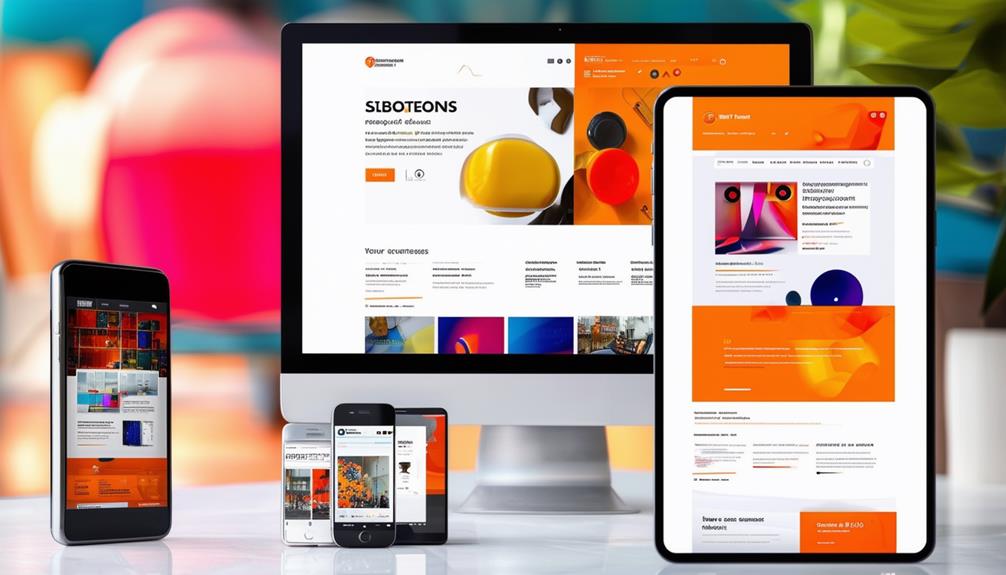
The importance of a responsive WordPress theme cannot be overstated when it comes to providing a seamless user experience across all devices. A responsive design ensures that your website automatically adjusts to various screen sizes and resolutions, making it inherently mobile-friendly. This adaptability is crucial for maintaining a consistent user experience, whether someone is visiting your site on a smartphone, tablet, or desktop.
Google prioritizes mobile-friendly websites in its search rankings, meaning a responsive theme can significantly enhance your SEO efforts. To verify that your theme meets these standards, you can use tools like Google's Mobile-Friendly Test. This will help confirm that your site performs optimally on mobile devices, leading to lower bounce rates and higher user engagement. When visitors can easily navigate and interact with your site, they are more likely to stay longer and return.
Additionally, responsive themes improve accessibility, making your content available to a broader audience, including individuals with disabilities. By optimizing your site for different screen sizes and resolutions, you ensure that everyone has a positive experience. In summary, a responsive design is not just an optional feature; it is a crucial requirement for any WordPress theme aiming to succeed in the current digital landscape.
Customization Options
Customization options in a WordPress theme empower you to personalize your site's appearance and functionality to match your brand identity. With the right theme, you can align your website with your design preferences, ensuring a unique and engaging user experience. Look for themes that offer extensive customization options such as color schemes, typography settings, and layout choices. These features allow you to tailor every aspect of your site to fit your needs perfectly.
Advanced customization options are crucial for a truly bespoke site. Themes that include widget areas, page templates, and drag-and-drop builders make it easy to modify your site without needing to delve into code. These tools provide a user-friendly way to create a professional-looking website that stands out.
Consider the following key customization options:
- Color Schemes: Adjust the colors to match your brand's palette.
- Typography Settings: Choose fonts that resonate with your brand identity.
- Layout Options: Select from a range of layouts to best present your content.
- Widget Areas: Customize sidebars, footers, and other sections with ease.
- Page Templates: Use pre-designed templates to streamline your site's design.
SEO-friendliness

Enhancing your WordPress theme for SEO can significantly boost your site's visibility and ranking on search engines. Begin by selecting SEO-friendly themes that are compatible with essential SEO plugins like Yoast SEO and Rank Math. These tools assist in optimizing your website content efficiently. Fast-loading themes are crucial since site speed affects both user experience and SEO rankings.
Ensure the theme you choose supports HTML tags, as this helps search engines understand and index your content effectively. Opt for themes with clean, well-structured code for better SEO performance. Additionally, look for themes that include built-in SEO features such as schema markup and meta tags to enhance your site's search engine visibility.
Mobile responsiveness is essential. With a growing number of users accessing websites via mobile devices, a theme that adapts seamlessly to different screen sizes will improve your site's SEO. Clean code not only speeds up load times but also ensures that search engine crawlers can easily navigate and index your site. By focusing on these aspects, you'll ensure your WordPress theme is optimized for search engines, giving your site the best chance to rank higher and attract more visitors.
Plugin Compatibility
After optimizing your WordPress theme for SEO, it's crucial to ensure its compatibility with essential plugins. Plugin compatibility is vital for enhancing your website's functionality and customization options. Selecting a theme that integrates seamlessly with popular plugins will lay a strong foundation for smooth operation and prevent potential conflicts.
Ensure your theme supports popular plugins such as:
- Yoast SEO: Optimize your site's content and improve search engine rankings.
- WooCommerce: Set up and manage an online store effortlessly.
- Contact Form 7: Create and manage contact forms with ease.
- Other third-party plugins: Extend your site's capabilities with additional features.
- Key plugins: Enhance site functionality and improve user experience.
Verifying plugin compatibility is not just about avoiding conflicts; it also reduces development time and ensures you can easily add new features as your site grows. When your theme is compatible with a wide range of third-party plugins, you'll have the flexibility to enhance your site without technical issues. Always check for seamless integration with key plugins to maintain smooth operation and provide a better user experience.
Customer Support

Reliable customer support is invaluable when dealing with theme-related issues that require immediate attention. Prioritizing dependable customer support is crucial when selecting a WordPress theme. Whether you're handling setup, customization, or troubleshooting, having access to responsive support can save significant time and frustration. Technical challenges can arise unexpectedly, and knowing you have a team ready to assist can make a significant difference.
To evaluate the quality of a theme's customer support, check reviews and ratings. These offer insights from other users' experiences, helping you gauge the responsiveness and effectiveness of the support team. Premium themes often come with superior customer support compared to free themes. They usually include dedicated support teams that assist in navigating any issues, ensuring a smoother overall experience.
Conclusion
When selecting a WordPress theme, it's crucial to consider several essential features: responsiveness, customization options, SEO-friendliness, plugin compatibility, and reliable customer support. A responsive theme ensures your site looks great on any device. Customization options allow you to tailor your site to your specific needs. SEO-friendly themes enhance your search engine rankings. Plugin compatibility extends your site's functionality. Reliable customer support helps resolve any issues quickly and effectively. Prioritize these features to create a successful and smoothly operating website.