How to Optimize Your WordPress Website for SEO

Optimizing your WordPress website for SEO begins with a solid understanding of search engine optimization principles and their application to your specific site. Start by conducting thorough keyword research to identify the most relevant terms for your content. Integrate these keywords strategically into your posts, titles, and meta descriptions. Installing a comprehensive SEO plugin, such as Yoast, can assist with on-page analysis and the creation of an XML sitemap. However, this is just the initial step. There are several additional critical actions to ensure your site ranks well and attracts the appropriate audience. Curious about what these steps are?
Understanding SEO Fundamentals
Mastering the fundamentals of SEO is crucial for optimizing your WordPress site effectively. Search Engine Optimization (SEO) significantly enhances your website's visibility on search engine results pages (SERPs), driving more organic traffic to your site.
The first step in WordPress SEO is thorough keyword research. Identifying and targeting specific search terms makes your content more relevant to user queries, thereby improving your website's ranking. Search engines prioritize relevance and quality, making the right keyword selection fundamental.
Regularly updating your website content is also essential. Fresh content signals to search engines that your site is active and valuable, positively impacting your search ranking. Consistent content updates maintain website visibility and keep your audience engaged.
Additionally, ensure that your site's privacy settings are set to public for proper indexing. Search engines need to crawl your site to evaluate and rank your content. Without proper indexing, your keyword research and content updates won't translate into improved rankings or increased organic traffic.
Choosing the Right SEO Plugin
To enhance your site's SEO, selecting the appropriate plugin is crucial. Look for features such as on-page analysis, XML sitemaps, and user-friendliness, which can greatly simplify the optimization process. Additionally, ensure the plugin is compatible with your WordPress setup to prevent conflicts and errors.
Top Plugin Features
Optimizing your WordPress site for search engines necessitates selecting the right SEO plugin. These plugins offer various features that can significantly enhance your site's visibility. For example, keyword optimization tools enable you to target relevant phrases, while readability analysis ensures your content is easily understandable. A robust plugin will also allow you to create XML sitemaps, essential for search engines to comprehend your site's structure.
Yoast SEO is a popular choice due to its comprehensive tools for managing meta titles and descriptions, thereby improving click-through rates on search engine results pages. Additionally, it supports schema markup implementation, which helps your content appear as rich snippets in search results, enhancing user engagement.
Another crucial feature is integration with Google Search Console, which lets you monitor your site's performance and indexing status directly from your WordPress dashboard. This integration simplifies tracking your SEO efforts. To avoid conflicts and errors, refrain from using multiple SEO plugins simultaneously. Instead, choose a comprehensive plugin that addresses all your SEO needs, ensuring your WordPress site is well-optimized and visible to your target audience.
Plugin Setup Guide
Selecting the right SEO plugin for your WordPress site is crucial for optimizing your online presence. Effective SEO plugins, such as Yoast SEO or Rank Math, can significantly enhance your site's optimization capabilities by providing essential tools like meta tags, XML sitemaps, and readability analysis, which are vital for adhering to WordPress SEO best practices.
When choosing an SEO plugin, prioritize one that offers robust keyword optimization tools. Analyzing and incorporating relevant keywords into your content can substantially improve your search engine rankings. Additionally, look for plugins that provide internal linking suggestions, aiding in the creation of a well-structured site.
Avoid using multiple SEO plugins simultaneously, as this can lead to conflicts and errors, ultimately compromising your site's performance. Instead, select a comprehensive plugin that meets all your needs.
Regular updates to your chosen SEO plugin are important. Keeping the plugin updated ensures compatibility with the latest WordPress version and maintains optimal performance. A well-maintained plugin will also support features like XML sitemaps, which help search engines efficiently index your content.
Compatibility Considerations
Choosing the right SEO plugin goes beyond impressive features; compatibility with your WordPress theme and other plugins is crucial. This ensures seamless integration, preventing conflicts that could impair your site's performance. Popular SEO plugins like Yoast SEO and Rank Math offer essential features such as on-page optimization, XML sitemaps, and schema markup, all fundamental for effective SEO management.
Ensure the SEO plugin receives regular updates to keep your site aligned with the latest SEO practices and search engine algorithm changes. The user interface is also important, as a well-designed interface can simplify the optimization process, especially for SEO newcomers.
Consider community feedback and user ratings for insights into the plugin's reliability, effectiveness, and support resources. A plugin with strong community backing and positive reviews is more likely to offer a stable experience and helpful troubleshooting support.
Optimizing WordPress Settings
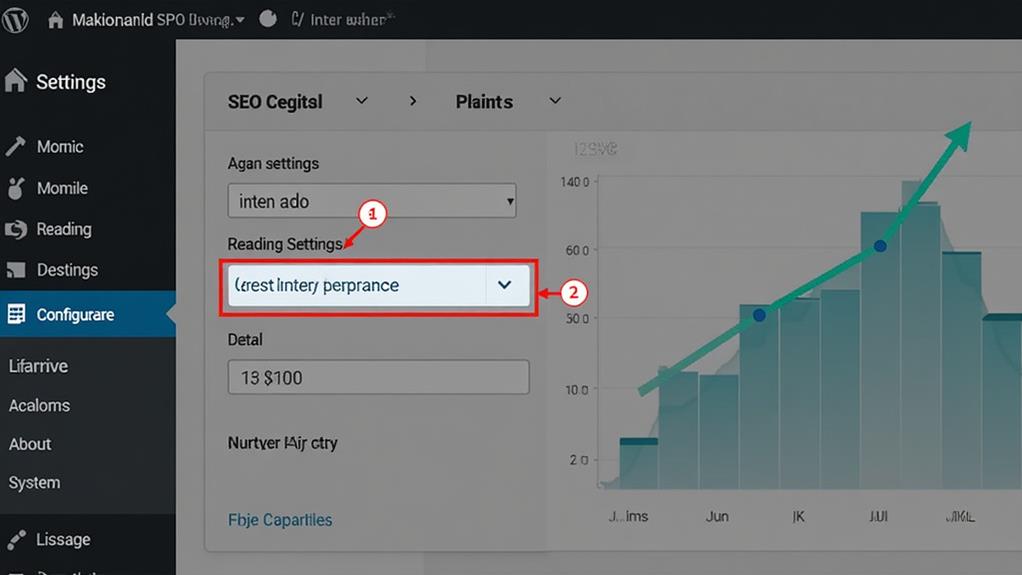
Optimizing your WordPress settings is crucial for enhancing your site's search engine rankings and user experience. Start by verifying that your WordPress visibility settings permit search engines to index your site. If indexing is blocked, your site won't appear in search results, negatively impacting traffic and SEO efforts.
Next, update your permalink structure to "Post name" for SEO-friendly URLs. This adjustment generates clear and descriptive URLs, benefiting both user experience and search engine visibility. Regularly review and update your title and meta description settings to incorporate relevant keywords, as these elements are essential for improving click-through rates on search engine results pages (SERPs).
Leverage an SEO plugin like Yoast SEO to optimize various settings. This plugin assists in creating XML sitemaps, facilitating easier crawling and indexing by search engines. Additionally, ensure that image alt text is correctly filled out to enhance search engine understanding of your content, which contributes to improved rankings and accessibility.
Enhancing Content With Keywords
After fine-tuning your WordPress settings, the next step to improve your SEO performance involves enhancing your content with strategically chosen keywords. Begin with thorough keyword research using reliable tools like Ahrefs or SEMrush. This process helps you identify relevant terms that your target audience is actively searching for, ensuring your content aligns with user intent.
Integrate primary keywords naturally throughout your content, including in your title, headings, and body text. Aim for a keyword density of around 1-2% to avoid keyword stuffing while maintaining relevance to search queries. Additionally, don't overlook long-tail keywords—phrases consisting of three or more words. These often have lower competition and can attract more qualified traffic to your site.
Optimize your meta titles and descriptions by incorporating these targeted keywords. Make them compelling to improve click-through rates from search engine results pages (SERPs). Remember, your meta titles and descriptions are the first elements users see, so they should be both informative and enticing.
Regularly update your content to include emerging keywords and trends. These updates signal to search engines that your site remains relevant and authoritative in your niche. Implementing these SEO strategies ensures your content stays fresh and aligned with evolving user intent.
Improving Site Structure

To truly optimize your WordPress site for SEO, enhancing your site structure is essential. A clear and logical site structure improves navigation for both users and search engines, thereby increasing your chances of achieving higher rankings and better user engagement.
Begin by organizing your content using categories and tags. This practice helps search engines understand the relationships between different posts, thereby improving indexing. Additionally, implement an XML sitemap to provide search engines with a comprehensive roadmap of your content, making it easier for them to crawl and index your pages efficiently.
Breadcrumbs are another excellent addition to your site. They enhance user navigation, allowing visitors to easily understand their location within your site, which significantly boosts user experience. Regularly audit your site to ensure all internal links are functional and that your content remains relevant. This ongoing maintenance is critical for sustaining authority and improving SEO performance.
Leveraging SEO Tools
Once you've optimized your site structure, the next step is to leverage powerful SEO tools to enhance your efforts. Begin by integrating SEO plugins like Yoast SEO into your WordPress site. These plugins provide essential features such as keyword analysis, readability checks, and automatic XML sitemap generation, simplifying your optimization tasks.
Utilize Google Search Console to monitor your site's performance. This indispensable tool allows you to track indexing status, identify crawling errors, and gain valuable insights into your search traffic. Understanding these metrics enables you to refine your SEO strategy effectively.
Consider upgrading to Business or Commerce plans for access to advanced SEO tools. These plans offer SEO audits, keyword tracking, and competitor analysis, which are crucial for fine-tuning your optimization strategies. Tools like SEMrush are also excellent for staying updated with SEO trends and maintaining a competitive edge.
Additionally, prioritize the use of custom domain names. Using a primary domain instead of a subdomain can significantly improve your site's indexing and overall search visibility. Regularly updating and analyzing your website with these tools ensures you stay ahead in search rankings, providing a solid SEO foundation for your WordPress site.
Securing Your Website

To enhance SEO performance and user trust, secure your website with an SSL certificate (HTTPS). Next, implement security plugins like Wordfence Security or iThemes Security to guard against cyber threats. Finally, regularly update your WordPress core, themes, and plugins to protect against vulnerabilities and ensure search engines can effectively index your site.
Implement SSL Certificates
Why is securing your WordPress site with an SSL certificate so vital? Implementing SSL certificates secures your website by encrypting data exchanged between the server and users. This not only improves user trust but also guarantees privacy. Using HTTPS, enabled by SSL certificates, can give your site a ranking advantage in Google's search algorithm, enhancing your overall SEO performance.
Many web hosting providers offer free SSL certificates, making it a cost-effective way to secure your site without incurring extra expenses. Browsers like Chrome and Firefox display warnings for non-secure (HTTP) sites, which can deter users and negatively impact your site traffic and credibility. For e-commerce sites, installing SSL certificates is especially essential as they protect sensitive customer information, reducing the risk of data breaches and fostering customer loyalty.
Key reasons to implement SSL certificates:
- Improve User Trust: Securely encrypted connections reassure your visitors.
- Enhance SEO: HTTPS can improve your ranking in Google's search algorithm.
- Prevent Data Breaches: Protect sensitive customer information from being intercepted.
- Avoid Browser Warnings: Prevent deterrent warnings that can harm your credibility.
- Cost-Effective: Many web hosts provide free SSL certificates, making it an affordable option.
Enable Security Plugins
Securing your WordPress website is essential, and enabling security plugins is one of the most effective measures you can take. By integrating security plugins like Wordfence Security and iThemes Security, you significantly enhance your site's defenses against malware and hacking attempts. These plugins offer critical features such as firewall protection, login attempt monitoring, and malware scanning, all of which help maintain site integrity and boost user trust.
Implementing an SSL certificate in conjunction with these security plugins is crucial. Google favors secure websites (HTTPS) in its ranking algorithm, which can indirectly improve your SEO performance. Regular updates and scans provided by security plugins ensure that vulnerabilities are promptly addressed, thereby minimizing the risk of data breaches that could adversely affect your SEO.
Additionally, many security plugins include features that optimize site performance, such as caching and database cleanup. These functionalities contribute to faster load times, which are vital for improving your search rankings. By maintaining a secure and efficient WordPress website, you not only protect your data but also enhance your Google ranking and overall site performance. Don't overlook this fundamental aspect; it's key to long-term success.
Regular Software Updates
Maintaining your WordPress site with regular updates is crucial for ensuring robust security and optimal SEO performance. Regular updates protect your website from security vulnerabilities that can adversely affect your SEO metrics. Outdated software is a common entry point for hackers, leading to security breaches and potential drops in search engine rankings—up to 30%, according to some studies.
Here's why regular updates are essential:
- Security Vulnerabilities: Regular WordPress updates patch security holes, safeguarding your site from attacks.
- SEO Performance: Secure websites are more likely to maintain or improve SEO rankings as search engines prioritize trustworthy sites.
- Site Speed: Updates often come with performance enhancements that can speed up your site, positively impacting user experience and SEO.
- Functionality: New updates can add or improve features, helping you optimize your site effectively.
- Automatic Updates: Enabling automatic updates ensures your site remains secure and up-to-date without manual intervention.
Regularly updating your WordPress site is a simple yet effective way to maintain its security, functionality, and search engine performance.
Monitoring and Updating SEO
Effectively monitoring and updating your SEO is crucial for maintaining and enhancing your website's visibility in search engine results. Start by regularly tracking your site's SEO performance using tools like Google Analytics and Google Search Console. These platforms enable you to monitor essential metrics such as organic traffic, bounce rates, and keyword rankings.
Establish a schedule for content updates and audits, targeting a refresh of key pages every 3-6 months. Search engines prioritize sites with fresh, relevant content, making it essential to keep your material current. Utilize plugins like Yoast SEO for continuous feedback on optimizing your content for target keywords and readability.
Additionally, monitor your website's loading speed, as faster sites are favored by Google. Leverage Google PageSpeed Insights to detect and rectify any speed-related issues. Regularly evaluate competitor performance and their SEO strategies to adapt your tactics and remain competitive in search rankings.