How to Set Up and Manage WordPress Landing Pages

To set up and manage WordPress landing pages effectively, begin by selecting a mobile-responsive theme that supports the full site editor and integrates seamlessly with essential plugins like Elementor or SeedProd. Next, create a new page via the "Pages" section, utilizing block patterns to streamline the design process. Incorporate high-quality visuals and clear calls to action to engage visitors and boost conversions. Regularly updating your content and monitoring performance metrics are crucial for optimizing your landing page. Interested in fine-tuning these elements for maximum impact?
Understanding Landing Pages
Landing pages are essential tools in your marketing toolkit, designed to drive conversions through a focused call to action (CTA). These dedicated pages are crafted specifically for marketing campaigns, with objectives such as lead generation or sales. Unlike homepages, landing pages reduce distractions by eliminating headers and footers, thereby maintaining a singular, clear focus.
To boost conversions, your landing page should feature a compelling headline and concise messaging. The headline captures attention, while the messaging clearly conveys the value proposition. High-quality visuals also play a crucial role, engaging users and reinforcing your message. A prominent and strong CTA is vital, guiding visitors toward the desired action.
Effective landing pages attract targeted traffic from ads, emails, and social media, significantly impacting your marketing success. Conversion rates for well-crafted landing pages can range from 9% to 12%, making them powerful tools for driving results. Whether you are running promotional campaigns, seeking event registrations, or conducting market testing, landing pages allow you to tailor your strategies effectively. By understanding and implementing these key elements, you can create highly effective landing pages that contribute to your overall marketing objectives.
Choosing a Theme
When selecting a theme for your WordPress landing page, first ensure it supports the site editor by locating the "Appearance → Editor" option in your dashboard. Opt for themes that provide extensive customization options to enhance design flexibility and user experience. Prioritize themes that are mobile-responsive and optimized for fast loading speeds to keep visitors engaged and boost conversion rates.
Theme Compatibility Check
Selecting the right theme for your WordPress landing page is essential for ensuring a seamless user experience. Begin with a theme compatibility check to verify it supports the full site editor. You can do this by looking for the Appearance → Editor option in your dashboard. This feature is crucial for leveraging WordPress's latest customization capabilities.
A good landing page theme should offer pre-designed templates specifically for landing pages. These templates can save you time and simplify the creation process. Moreover, prioritize themes with responsive design to ensure your landing pages display well on both desktops and mobile devices, broadening your audience reach.
When choosing a theme, ensure it's compatible with popular landing page plugins like Elementor and SeedProd. These plugins add significant functionality and flexibility, making it easier to build a high-converting landing page. Additionally, verify that the theme offers robust customization options. This flexibility allows you to tailor the layout and styling, enhancing the overall user experience and engagement.
Design Customization Options
To enhance your WordPress landing page, start by selecting a theme that offers robust design customization options. Landing page themes should be flexible in design and layout, enabling you to tailor your page to maximize user experience and engagement. Ensure the theme supports the site editor by verifying the Appearance → Editor option in your dashboard. This functionality is essential for making quick and effective customizations.
Choose themes specifically crafted for landing pages. These themes typically exclude unnecessary elements such as menus, headers, and footers, minimizing distractions and keeping visitors focused on your call to action. Additionally, a mobile-responsive theme is crucial to ensure your landing page looks and functions well across all devices, significantly boosting your conversion rates.
Consider themes with built-in block patterns or compatibility with page builders. These tools streamline the process of adding pre-designed elements, allowing you to optimize your landing page layout quickly and efficiently. By choosing a theme with these design customization options, you'll have the flexibility to create a visually appealing and highly functional landing page that captivates your audience and enhances engagement.
Creating a Page

Creating a page in WordPress is a straightforward process that begins from your site's dashboard. To create a landing page, navigate to "Pages" and click "Add New." Here, you can choose between a pre-defined layout or start with a blank page. Using the WordPress editor, you can add various content blocks such as text, images, and buttons, allowing you to customize the landing page to fit your specific needs.
Utilize the drag-and-drop page builder to organize your content efficiently. Regularly save your changes to prevent losing any progress. Before clicking the "Publish" button to set the landing page live, review all your content thoroughly.
Key steps to keep in mind:
- Select Layout: Choose a pre-defined landing page template or start from scratch.
- Add Content Blocks: Use the WordPress editor to insert text, images, buttons, etc.
- Save and Publish: Regularly save your work and click the "Publish" button when you're ready to go live.
Utilizing Block Patterns
To enhance the design process of your WordPress landing page, start by using block patterns. These pre-designed templates enable you to effortlessly add various elements, such as call-to-action sections and media-text combinations, with a single click. Customize these blocks to improve visual appeal and user engagement while maintaining a consistent and cohesive look.
Adding Pre-Designed Elements
Incorporating pre-designed elements, such as block patterns, into your WordPress landing pages can significantly streamline your design process. By leveraging block patterns, you can insert complex layouts effortlessly with just a single click. The WordPress editor's + block inserter icon provides access to a variety of patterns, including call-to-action buttons and media blocks, making your landing pages both functional and visually appealing.
Using block patterns offers several benefits:
- Speeds up the development process: Quickly create professional-looking designs without needing extensive coding knowledge.
- Enhances visual appeal: Customizable block patterns ensure your pages look polished and engaging.
- Aligns with marketing goals: Regularly updating block patterns keeps your landing pages fresh and relevant to current trends.
To customize block patterns, simply tweak the design and content to match your specific needs. This flexibility allows you to maintain consistency with your branding while effectively communicating your marketing message. By utilizing block patterns, you can considerably reduce the time spent on development, ensuring that your landing pages remain professional and aligned with your marketing goals.
Customizing Content Blocks
Maximizing the effectiveness of your WordPress landing pages often depends on how skillfully you customize content blocks using block patterns. Block patterns in the WordPress Block Editor are pre-designed elements that allow you to add content to your landing pages effortlessly. Users can access these patterns by clicking the + block inserter icon and choosing from options like buttons, media & text, and social icons to create engaging content blocks.
Utilizing call-to-action (CTA) block patterns can significantly boost user engagement by providing visually appealing prompts that encourage visitors to take action. This can greatly improve your conversion rates. By employing block patterns, you ensure that your design elements remain consistent across various landing pages, aligning them with your branding and marketing objectives.
To keep your WordPress landing pages fresh and optimized, regularly review and update your block patterns. This will help maintain an engaging user experience and improve overall performance.
Here's a quick reference table for common block patterns:
| Block Pattern Type | Description | Use Case |
|---|---|---|
| Buttons | Pre-designed button styles | CTA buttons to increase conversions |
| Media & Text | Combined media and text layouts | Highlighting key information |
| Social Icons | Social media links | Increasing social media following |
| Hero Sections | Attention-grabbing headers | Initial user engagement |
| Testimonials | Customer reviews | Building trust and credibility |
Enhancing User Engagement
Improving user engagement on WordPress landing pages relies on effectively utilizing block patterns. These pre-designed elements simplify the process of adding visually appealing and functional components, facilitating the creation of high-converting landing pages.
Using Call To Action (CTA) block patterns is crucial. They enable the quick integration of persuasive elements, thereby increasing conversion rates by making it straightforward for visitors to take desired actions. Incorporating various content blocks, such as media & text and columns, results in visually dynamic layouts that capture visitors' attention and keep them engaged longer.
Regularly updating and testing different block patterns helps identify which designs resonate best with your audience, allowing for continuous optimization for improved user engagement. The WordPress block editor simplifies customization, enabling you to align block patterns with your branding for a cohesive and engaging experience.
Here are key strategies to improve user engagement:
- Use CTA block patterns: Increase conversions by facilitating visitor actions.
- Incorporate varied content blocks: Create visually dynamic layouts that captivate users.
- Regularly update and test designs: Continuously optimize for the best user experience.
Crafting a Landing Page Template
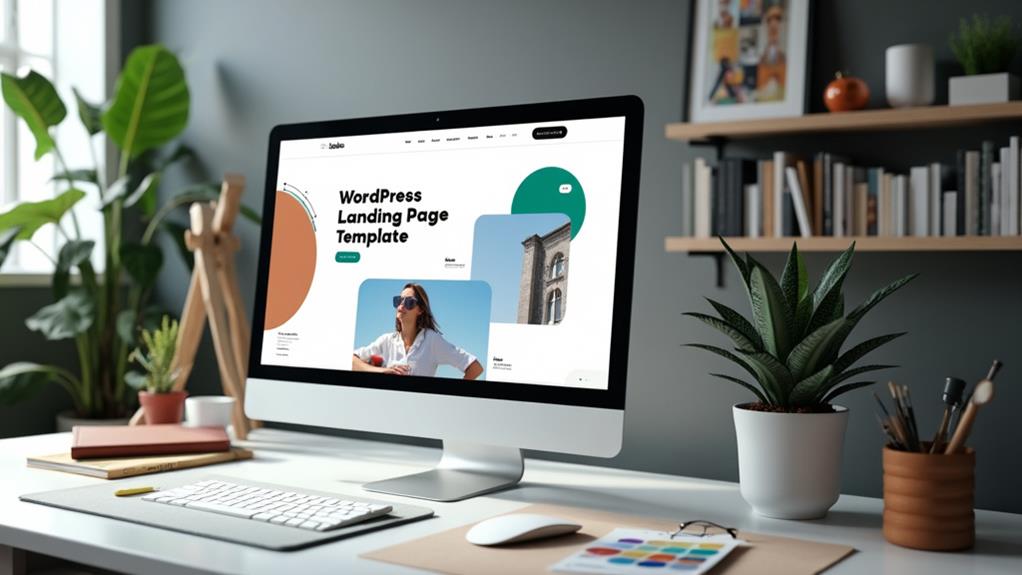
Creating a landing page template in WordPress requires a focus on simplicity and effectiveness. Start by navigating to the page settings and creating a new template, specifically named "Landing Page," for easy identification and management. To ensure your landing page template is effective, maintain a clean layout by excluding unnecessary elements like menus, headers, and footers that can distract from the primary Call To Action (CTA).
Leverage WordPress's block patterns and customizable content blocks to design a visually appealing layout. Concentrate on essential content that drives user engagement and highlights the main message. Regularly save your progress during the template creation process to avoid data loss and ensure a seamless editing experience.
Here's a basic layout to consider:
| Section | Content Type | Importance Level |
|---|---|---|
| Hero Section | Image/Headline/CTA | High |
| Benefits Overview | Icons/Text | Medium |
| Testimonials | Quotes/Images | Medium |
| Product Features | Text/Images | High |
| Final CTA | Button/Contact Form | High |
After creating the template, review and adjust it to optimize user engagement. Emphasize the main CTA and critical content for maximum conversion effectiveness. Once satisfied, publish your landing page template and monitor its performance to make necessary improvements.
Setting Your Homepage
Setting your landing page as the homepage in WordPress is a strategic move to streamline user experience and boost conversions. To set the homepage, navigate to your WordPress dashboard. Go to Settings > Reading, select "A static page," and choose your newly created landing page from the dropdown menu. This setup ensures visitors are directed straight to your main offer, free from other site distractions.
A landing page set as the homepage is particularly effective for highlighting a specific product or service, increasing the likelihood of conversions by maintaining a focused and straightforward user experience. Additionally, sharing your landing page via its URL becomes simple, enhancing its visibility for targeted marketing campaigns.
By setting your landing page as the homepage, you:
- Provide a seamless user experience by eliminating unnecessary site elements.
- Focus attention on a specific product or service, improving conversion rates.
- Simplify sharing and marketing efforts with a dedicated URL.
For precise steps on how to set the homepage, refer to the "Set the Homepage" guide in the WordPress documentation. Following these steps ensures your site is optimized for user engagement and marketing success.
Leveraging Landing Page Plugins
Once your landing page is set as the homepage, the next step is to enhance its functionality and appeal using landing page plugins. Plugins like Elementor and SeedProd offer drag-and-drop interfaces and pre-designed templates, making it easy for anyone to create professional landing pages without custom coding. These tools integrate seamlessly with WordPress, reducing development time.
Most landing page plugins also come with built-in SEO optimization features, improving visibility and boosting conversion rates. For example, SeedProd integrates with popular email marketing services, allowing you to connect lead capture forms directly to your email lists, thus enhancing audience engagement.
To further optimize conversions, some plugins offer A/B testing features that let you compare different versions of your landing page. This helps identify the most effective designs and content. Below is a comparison of key features:
| Plugin | SEO Optimization | A/B Testing |
|---|---|---|
| Elementor | Yes | No |
| SeedProd | Yes | Yes |
| Thrive Architect | Yes | Yes |
| Beaver Builder | Yes | No |
| Divi Builder | Yes | No |
Utilizing these landing page plugins enables you to create custom pages efficiently, saving time and costs while increasing engagement and conversion rates.