Is There a Free CDN for Wordpress?

Yes, there are free CDNs for WordPress, such as Cloudflare, Jetpack, and Optimole. Cloudflare offers global content delivery and DDoS protection without costing a dime. Jetpack, with its easy one-click integration, enhances performance by caching static files and optimizing images. If your site is image-heavy, Optimole is a great choice with its automatic image optimization and Amazon CloudFront backing. Amazon CloudFront's free tier offers 1 TB data transfer and 1 million requests monthly, perfect for growing sites.
Regardless of your pursuit for speed, reliability, or both, these free options can dramatically improve your site's performance and user experience. Investigate further for details.
Free CDNs for WordPress
When you're setting up a WordPress site, choosing a dependable Content Delivery Network (CDN) can greatly enhance your site's performance and speed. A good CDN can distribute your static content efficiently, improving website performance and optimizing performance metrics. Cloudflare CDN is a popular free option, offering global content delivery and caching, along with support for HTTP/2 and HTTP/3.
It's a trustworthy choice for WordPress users aiming to increase site speed without incurring extra costs. Jetpack also provides a free CDN integrated into its plugin, which serves static content from WordPress.com's network. This makes it an ideal solution for new website owners who want to enhance performance without spending extra money. For those familiar with AWS services, Amazon CloudFront's free tier offers 1 TB of data transfer and over 1 million requests monthly, making it a robust option for handling substantial traffic volumes.
If image optimization is your focus, consider Optimole. It offers a free CDN service that delivers optimized, cached images through Amazon CloudFront with a simple one-click setup. By leveraging these free CDN services, you can greatly improve your WordPress site's performance and guarantee a smoother user experience. Additionally, Cloudinary's free plugin offers image optimization and management, providing superfast CDN delivery and a range of image alteration options.
Cloudflare Integration
Integrating Cloudflare into your WordPress site is a seamless way to improve performance and security. As a free CDN service, Cloudflare increases your website performance by caching content across its globally load-balanced network. This means your site's data is delivered from the server closest to your users, speeding up load times considerably.
The integration with WordPress is straightforward, thanks to a user-friendly dashboard and a dedicated plugin that simplifies site incorporation and DNS configuration. Cloudflare supports modern protocols like HTTP/2 and HTTP/3, ensuring faster and more efficient data transmission. These protocols are essential for reducing latency and enhancing the complete user experience on your site.
You'll also benefit from robust DDoS protection, which helps maintain uptime and reliability during unexpected traffic spikes or malicious attacks. This feature is necessary for keeping your site accessible and secure. Through Cloudflare's dashboard, you can monitor traffic metrics and gain real-time insights into your site's performance and cache effectiveness. These insights help you make informed decisions to further optimize your site.
By choosing Cloudflare as your free CDN solution, you're equipping your WordPress site with powerful tools to improve speed, security, and user satisfaction.
Amazon CloudFront Setup
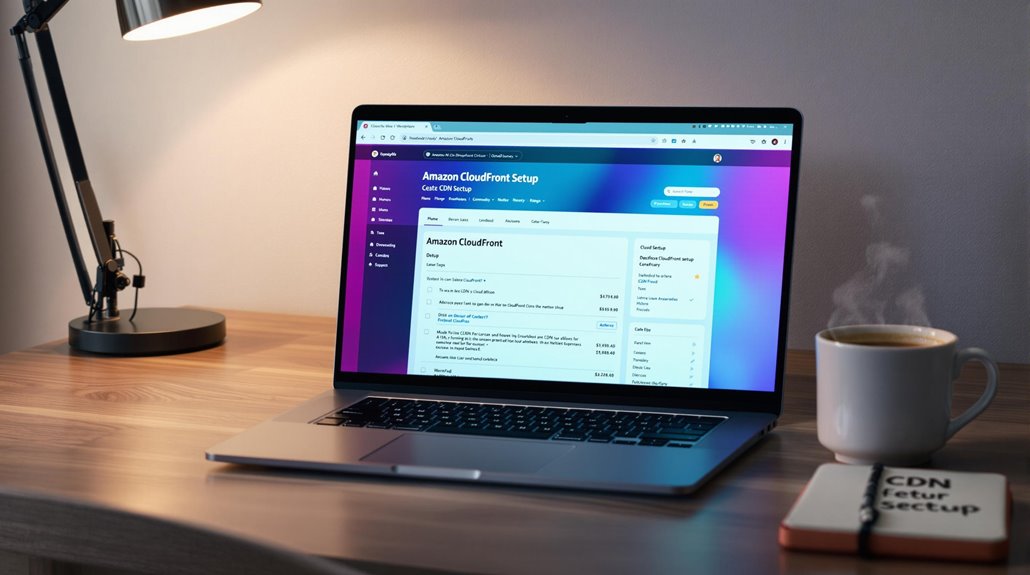
Amazon CloudFront makes an excellent choice for WordPress users seeking a reliable and robust CDN solution. Offering a free CDN plan that includes 1 TB of data transfer and over 1 million requests per month, it's perfect for new WordPress sites looking to improve performance without breaking the bank. Setting up Amazon CloudFront with your site is straightforward, especially with the WPAdmin AWS CDN plugin. This tool simplifies integration, allowing you to focus on what truly matters: delivering fast content delivery.
With over 400 CDN locations across more than 200 cities worldwide, Amazon CloudFront guarantees your static and dynamic content reaches users quickly, no matter where they are. This broad network dramatically enhances load times and keeps your site responsive, even during high traffic periods. By leveraging advanced caching, CloudFront optimizes your content delivery network, ensuring your site remains reliable and efficient. Incorporating a CDN is essential because 47% of visitors expect pages to load within 2 seconds, emphasizing the importance of speed for user retention.
To get started, explore the extensive Amazon CloudFront documentation. It'll guide you through the setup process and offer best practices to maximize your WordPress site's performance. Adopt CloudFront's capabilities to improve your site's speed and reliability, offering visitors a seamless browsing experience.
Jetpack Site Accelerator
Jetpack Site Accelerator steps up as a powerful tool for WordPress users looking to improve their site's speed effortlessly. This feature-rich WordPress plugin offers a free CDN service, essential for enhancing website loading speeds. It handles images and static files efficiently, ensuring that your content reaches users swiftly. The setup is incredibly user-friendly, requiring no coding knowledge. You can activate the CDN feature with just one click from the Jetpack dashboard, making it accessible even for beginners. With AI-driven personalization, Jetpack Site Accelerator can further optimize content delivery based on user behavior, enhancing the user experience.
Here's why Jetpack Site Accelerator is a must-have:
- Global Network: Your images are served from WordPress.com's robust global network, making your website faster for visitors worldwide.
- Automatic Image Resizing: It resizes images for mobile devices automatically, optimizing loading times for different screens.
- Support for Multiple File Types: It supports unlimited file types for images, CSS, and JavaScript, though it doesn't cover audio or video files.
- Proven Reliability: With over 5 million active installations, it's a trusted solution for improving site performance.
Optimole Benefits
Optimole offers an extensive suite of benefits that make it an ideal choice for WordPress users seeking a free CDN solution. By integrating Optimole, you'll experience significant improvements in site speed and load times, especially if your website is image-heavy. The service utilizes Amazon CloudFront for efficient content delivery, guaranteeing your images are optimized and reach users swiftly. This image optimization can reduce file sizes by up to 80%, substantially enhancing your site's performance and overall user experience.
For optimal mobile-friendly navigation, consider using mobile-friendly plugins that automatically adjust your site layout for different devices.
The beauty of Optimole lies in its simplicity. With a one-click setup, you can easily integrate it into your WordPress site without dealing with complicated configurations. Once activated, Optimole automatically replaces your image URLs with cloud-based URLs, facilitating seamless and optimized delivery across different page builders and platforms. This process not only speeds up load times but also assures your content is efficiently distributed to your audience, no matter where they are.
Optimole's automatic caching of images for up to a month further enhances your site speed. By minimizing the need for frequent reloading, your visitors enjoy a faster, smoother experience, keeping them engaged and satisfied with your site.
Pressidium CDN Features
Pressidium CDN stands out by partnering with Akamai Technologies, offering you enterprise-level content delivery without any extra costs. This collaboration guarantees that your WordPress hosting benefits from one of the most reliable content delivery networks (CDN) available. By integrating seamlessly with your existing setup, Pressidium CDN improves your website's reliability and performance by greatly reducing latency and minimizing outages.
Here's how Pressidium CDN can transform your site:
- Automatic Content Caching: It automatically caches your site's content, improving page load times and helping to optimize general site performance.
- User-Friendly Dashboard: You can easily access resources and manage your CDN settings through a user-friendly dashboard, eliminating the need for a separate AWS account.
- Free Upgrade: As a Pressidium customer, you receive a free upgrade to utilize the CDN, improving user experience without lifting a finger.
- Reduced Server Load: By distributing content efficiently, it reduces server load, guaranteeing your site loads quickly no matter where your visitors are located.
With these features, Pressidium CDN not only improves your site's speed but also elevates user experience, guaranteeing your WordPress hosting is exceptional without any added costs. Additionally, integrating a plugin like WP Super Cache can further enhance site speed by creating static HTML files, reducing server load, and improving loading times for high-traffic websites.
Enhancing WordPress Performance

Improving WordPress performance is vital for creating a seamless user experience and boosting your site's efficiency. One effective way to achieve this is by using a Content Delivery Network (CDN). A WordPress CDN can markedly speed up your site by reducing load time, which is key for keeping website visitors engaged. Studies show that a mere 20% reduction in page load time can lower bounce rates by 9%, making it a valuable investment.
A CDN works by delivering static content, such as images and scripts, from the nearest server to your users. This not only optimizes bandwidth usage but also reduces latency, ensuring faster access to your site. By caching these static resources, a CDN can lessen the server load, allowing your WordPress site to handle more traffic without sacrificing performance. A speedy site can positively impact your search engine rankings, as search engines consider load time a notable factor.
For a straightforward setup, consider using free WordPress options like the Jetpack dashboard. It provides a free CDN that automatically optimizes images and static files, making it easy for new website owners to improve site performance without extra hassle. Choosing a reputable hosting provider can lead to substantial speed improvements, further enhancing the effectiveness of integrating a CDN with WordPress.