Using WordPress to Enhance Your Social Media Strategy

Leveraging WordPress can significantly enhance your social media strategy by ensuring consistent content integration across platforms. Tools like Publicize automate sharing, and social sharing buttons enable your audience to easily spread your content. Embedding real-time social feeds and creating a dedicated Social Menu can drive traffic and foster community interaction. But how can you maximize these features to truly improve your social media presence? Let's explore strategies to optimize your approach and amplify your impact.
Importance of Integration
Integrating WordPress with social media platforms is essential for enhancing content visibility and driving traffic to your site efficiently. By incorporating social media into your WordPress site, you can streamline your marketing strategy through automatic sharing of new posts. This feature allows each new blog entry to be auto-posted to major platforms like Facebook, Twitter, and LinkedIn via WordPress.com's Publicize feature, maximizing outreach with minimal effort.
Embedding social media feeds directly onto your WordPress site keeps visitors engaged with real-time updates from platforms such as Instagram and Twitter. This continuous stream of fresh content encourages longer visits and increased interaction, enhancing the overall user experience.
Furthermore, implementing social sharing buttons on your WordPress content simplifies the sharing process for visitors. This not only boosts audience engagement but also expands your reach as content is shared across various social networks. By integrating a dedicated Social Menu into your WordPress theme, you facilitate easy connection to your social media accounts, further increasing your online presence and driving traffic to your site.
Posting to Social Media
Leveraging WordPress for posting to social media can significantly amplify your content's reach and engagement. The Publicize feature allows you to automatically share new posts to platforms like Facebook, Twitter, LinkedIn, and Tumblr, streamlining your social media outreach. This automation increases your content's exposure and engagement without extra effort.
Additionally, you can repurpose content from your WordPress site to maintain a consistent presence across various social channels. Although Instagram auto-posting isn't supported due to platform restrictions, third-party tools like Buffer and Hootsuite can help you schedule and manage social media posts, especially with a Business plan.
Adding social sharing buttons to your WordPress site encourages visitors to share your content, thereby increasing website traffic. These buttons create a more interactive experience and expand your reach on social media.
Here's a quick overview of the tools available:
| Feature | Benefit |
|---|---|
| Publicize | Automate posts to social platforms |
| Repurposing Content | Maintain consistent social presence |
| Third-Party Tools (Buffer, Hootsuite) | Schedule and manage posts |
| Social Sharing Buttons | Encourage visitor sharing |
| Widgets and Blocks | Display real-time social feeds |
Displaying Social Media Feeds
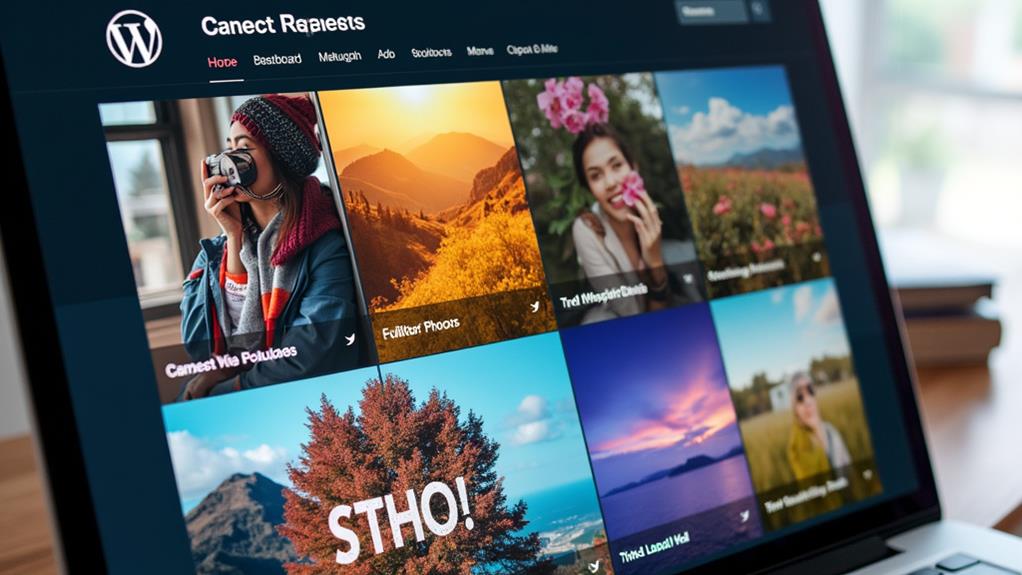
Displaying social media feeds on your WordPress site can significantly enrich your website's content and keep visitors engaged. Integrating feeds from platforms like Instagram, Facebook, Twitter, Pinterest, and TikTok is straightforward with WordPress, thanks to its built-in widgets and blocks that facilitate real-time updates even for users without technical expertise.
By showcasing dynamic content from your social media accounts, you can keep your website fresh and appealing. This not only enhances visual appeal but also promotes cross-platform interaction, encouraging visitors to follow your social accounts directly from your site. WordPress supports this process with extensive documentation and tutorials, ensuring smooth integration of social media feeds.
Moreover, real-time social media displays are powerful tools for building community and trust. Highlighting user-generated content and customer interactions with your brand can make your website feel more engaging and authentic. Seamlessly integrating social media feeds creates a lively bridge between your website and social platforms, fostering a more connected online presence. Utilize this feature to transform your website into a dynamic hub of interaction and engagement.
Social Media Menus
A well-organized Social Menu on your WordPress site can significantly enhance your online presence. Many WordPress themes come with a dedicated Social Menu feature, allowing you to link to your social media profiles for improved visibility and accessibility. If your theme lacks a traditional menu option, you can still use the Social Icons Block to showcase your accounts prominently.
Incorporating a Social Menu enhances the user experience by making it easy for visitors to find and connect with your social media platforms. This not only drives traffic to your profiles but also encourages engagement with your content across various platforms. Consistent branding through your Social Menu reinforces your brand identity, as recognizable social media icons can boost user interaction.
Here's a quick summary:
| Feature | Benefit |
|---|---|
| Dedicated Social Menu | Improved visibility and accessibility |
| Social Icons Block | Prominent display of social media accounts |
| Enhanced User Experience | Easy connection to social media platforms |
| Consistent Branding | Reinforces brand identity |
| Increased Traffic | Drives traffic to social media profiles |
Encouraging Social Sharing

To boost content distribution and enhance post visibility, add social sharing buttons to all your WordPress content. Research indicates that articles with these buttons garner seven times more shares, effectively engaging site visitors. Simplifying the sharing process for readers will improve traffic and attract new followers.
Simplifying Content Distribution
One of the most effective ways to streamline content distribution and encourage social sharing is by adding social sharing buttons to your published content. These buttons make it effortless for visitors to share your content across various social media platforms, helping you reach a wider audience. By integrating social sharing buttons into your WordPress site, you can ensure seamless social media integration, allowing your readers to easily share your content on Facebook, Twitter, LinkedIn, and more.
Using social sharing features centralizes your website as a hub for social media activity. This not only encourages user interaction but also increases the likelihood of your content being widely shared. Additionally, optimizing your content for shareability by crafting engaging headlines and visuals can further enhance your organic reach.
| Feature | Benefit |
|---|---|
| Social Sharing Buttons | Easy sharing across platforms |
| Engaging Headlines | Increased organic reach |
| Publicize Feature | Consistent social media distribution |
Leverage the Publicize feature in WordPress to automatically share new posts across selected social media platforms, saving you time and ensuring consistent content distribution. Encourage user-generated content through branded hashtags and contests to boost engagement and expand your reach. This comprehensive approach makes your WordPress site a powerful tool in your social media strategy.
Boosting Post Visibility
Enhancing your content's reach involves more than just simplifying distribution; it's also about elevating post visibility through strategic social sharing. By adding social sharing buttons to all your published content, you make it easier for visitors to share your posts, potentially increasing engagement and expanding your audience. Your social media followers can effortlessly share your content across diverse platforms, amplifying post visibility.
Using the Publicize feature on WordPress allows you to automatically share new posts on social media platforms like Facebook, Twitter, and LinkedIn. This automation ensures your content reaches a broader audience with minimal effort, improving visibility. Open Graph meta tags are another essential tool, ensuring that your shared links display correctly on social media, which can significantly enhance click-through rates and user engagement.
Encouraging user-generated content through branded hashtags is another effective strategy. When followers use your hashtags, it increases social sharing and fosters community engagement, further improving your brand's visibility. Regularly analyzing social sharing metrics allows you to identify which content resonates most with your audience. By understanding these insights, you can optimize future posts for better visibility and engagement, ensuring your content reaches the maximum number of social media followers.
Engaging Site Visitors
Regularly engaging your site visitors can significantly enhance your social sharing strategy. Adding social sharing buttons to all your published content simplifies the sharing process, encouraging visitors to disseminate your articles and posts. This small addition can lead to a substantial increase in organic reach and user engagement. Content equipped with share buttons is more likely to be shared across various platforms, driving more traffic to your site.
Utilizing dedicated plugins like Jetpack or AddToAny enhances the visibility of these social sharing buttons, motivating more visitors to engage with and share your content. Additionally, you can boost social sharing by encouraging user-generated content. Implementing branded hashtags fosters a sense of connection to your brand and promotes your content organically.
Regularly analyze your social sharing metrics using tools like Google Analytics to understand which content resonates most with your audience. This allows you to tailor future posts for better engagement. A data-driven approach ensures your social media presence grows and evolves based on actual user behavior. Integrating these strategies into your WordPress site can significantly improve your social media strategy, creating a more engaging and shareable online experience.
Social Media Platform Selection
Selecting the right social media platforms involves understanding the demographics of your target audience. Additionally, analyzing your competitors' strategies and content types can provide valuable insights. Combining this information allows you to focus your efforts on the platforms that will most effectively reach and engage your audience.
Target Audience Demographics
Understanding target audience demographics is essential for selecting the right social media platforms for your marketing strategy. Different social channels attract various age groups, interests, and behaviors, which can significantly impact your campaign's success.
For instance, if your target audience includes older populations, Facebook is an excellent choice, as 68% of its users are over 50 years old. In contrast, Instagram is better suited for younger demographics, with 67% of its users aged 18-29.
In the B2B sector, LinkedIn is a valuable platform to consider. It boasts 61 million senior-level influencers and 40 million decision-makers, making it ideal for professional networking and industry-specific content. Meanwhile, Pinterest is particularly effective if your target audience is predominantly female, as 80% of its users are women. This makes Pinterest perfect for brands in fashion, home decor, and DIY industries.
Selecting social channels based on demographic data ensures your social media strategy is targeted and effective. By knowing where your audience spends their time, you can enhance engagement and achieve better results for your campaigns.
Competitor Analysis Insights
Analyzing your competitors' social media strategies can provide invaluable insights for optimizing your own campaigns. Conducting a comprehensive competitor analysis allows you to evaluate their engagement rates and content types. Tools like BuzzSumo and Sprout Social can help identify your competitors' top-performing posts, illustrating which platforms generate the most interaction for content similar to yours.
Delve into the demographics of your competitors' followers to determine which social media platforms are most effective for reaching your target audience. This ensures that your efforts are strategically focused. Pay attention to your competitors' posting frequencies and formats, whether they use videos, images, or stories, as these trends can enhance your own social media strategy.
Observe the engagement tactics your competitors use, such as contests or influencer collaborations, to inspire creative approaches for your social media presence. Understanding what works for your competitors enables you to craft a more informed and effective strategy. Leverage these insights to make strategic decisions that align with your audience's preferences and behaviors, thereby amplifying your reach and engagement.
Website Integration Techniques

Integrating social media into your WordPress site can significantly boost user engagement and expand your content's reach. To achieve effective social media integration, begin by strategically placing social sharing buttons in visible areas such as the header, footer, or sidebar. This placement enhances visibility and encourages visitors to interact with your social profiles.
Within your blog posts, incorporate social sharing buttons to facilitate easy sharing across various platforms, thereby increasing engagement and reach. Plugins like Jetpack or Social Icons can automate this process, ensuring that your new content is automatically shared on selected platforms.
Embedding real-time social media feeds on your website is another impactful technique. It showcases your latest activities, keeping visitors updated and engaged with your social presence. Additionally, using Open Graph meta tags can improve the visibility and appearance of your content when shared on social media, driving more traffic to your WordPress site.
Quick Tips:
- Place social media buttons in prominent locations like the header, footer, or sidebar.
- Include social sharing buttons within blog posts.
- Automate content sharing with plugins such as Jetpack or Social Icons.
- Embed real-time social media feeds to keep visitors engaged.
- Use Open Graph meta tags to enhance content visibility on social media.
User Engagement Strategies
To cultivate a lively online community on your WordPress site, employing user engagement strategies is essential. Start by encouraging user-generated content. Create branded hashtags that invite your audience to share their experiences, fostering a sense of community and loyalty. Highlighting user-generated content, like customer photos or testimonials, enhances your site's credibility and motivates others to contribute.
Organizing contests and giveaways is another effective approach. These activities incentivize participation and sharing, significantly expanding your reach. Offering extra entries for social sharing can attract new followers and increase your visibility.
Simplifying the user registration process with social login options can make it easier for visitors to engage with your content. When users can quickly log in using their social media accounts, they're more likely to participate in community activities and stay connected.
Analytics and Performance Monitoring

To optimize your social media strategy, leverage Google Analytics to identify which platforms drive the most traffic to your WordPress site. Continuously monitor engagement metrics such as likes, shares, and comments to refine your content and better connect with your audience. Employ WordPress analytics plugins to streamline this process, enabling you to measure and adjust your efforts efficiently for maximum impact.
Tracking Social Media Metrics
Tracking social media metrics is essential for an effective social media strategy. Tools like Google Analytics help you identify which platforms drive the most visitors to your WordPress site by tracking social media traffic sources. Monitoring insights from social networks, such as likes, shares, and comments, provides a clear understanding of what content resonates best with your audience.
To ensure you're on the right path, set clear KPIs for your social media campaigns, such as engagement rates or referral traffic. These KPIs help you measure the success of your efforts and make data-driven adjustments. WordPress analytics plugins are invaluable for integrating performance tracking directly into your site, offering a comprehensive view of your social media impact alongside other website metrics.
Here's how to enhance your social media strategy:
- Use Google Analytics to track which social networks generate the most traffic to your site.
- Monitor audience engagement metrics to identify the most effective content.
- Regularly adjust your strategy based on performance data.
- Implement WordPress analytics plugins for seamless performance tracking.
- Set and evaluate KPIs to measure the success of your social media campaigns.
Analyzing Engagement Data Trends
Regularly analyzing engagement data trends is crucial for refining your social media strategy and ensuring it aligns with your business goals. Tools like Google Analytics enable you to track social media traffic sources, helping you identify which platforms drive the most visitors to your WordPress site. This insight allows you to concentrate your efforts on the most effective channels.
Monitoring social media insights provides essential metrics, such as engagement rates, allowing you to evaluate the effectiveness of your content. Understanding how your audience interacts with your posts enables you to make informed adjustments to enhance your strategy. Regularly analyzing audience behavior and interaction patterns helps you determine what types of content resonate most with your followers, guiding your future content creation.
Implementing WordPress analytics plugins offers integrated performance tracking, giving you a comprehensive view of how your social media efforts impact website traffic and user engagement. Setting clear KPIs for your social media initiatives and consistently reviewing performance data is vital for making informed adjustments to your strategy. By staying on top of these trends, you ensure your social media efforts continuously drive meaningful results.
Measuring Content Performance
Understanding your content's performance is crucial for optimizing your social media strategy. By measuring how well your content resonates with your audience, you can make data-driven decisions to enhance your approach.
Start with Google Analytics to track social media traffic sources. Identify which platforms are driving the most visitors to your WordPress website. This data allows you to concentrate your efforts on the channels that yield the best results.
Monitor social media insights such as engagement rates and reach to understand audience interaction with your content. Implement UTM parameters on your social media links to measure the effectiveness of specific campaigns and to track user behavior once they arrive on your website.
Regularly evaluate key performance metrics like click-through rates and conversion rates to measure the impact of your social media posts on your website's overall performance. Consider using WordPress analytics plugins to integrate performance tracking directly within your site, providing comprehensive insights into user engagement and content effectiveness.
Here's a quick checklist to enhance your content performance measurement:
- Use Google Analytics to track social media traffic.
- Monitor engagement rates and reach.
- Implement UTM parameters on social media links.
- Regularly evaluate click-through and conversion rates.
- Use WordPress analytics plugins for integrated insights.
Community Insights and Trends
In today's fast-paced digital landscape, harmonizing social media trends with SEO principles is crucial for maximizing content visibility. Staying informed about community insights and trends can significantly enhance your digital marketing strategy. Effective social media marketing goes beyond merely posting content; it involves understanding your audience's behavior and preferences.
Integrating social media into your e-commerce strategy can boost user engagement and drive sales. With over 70% of shoppers using social media for product discovery, aligning your strategy with these trends is essential. Regularly monitoring algorithm changes on platforms like Facebook and Instagram is critical. These changes can affect your visibility, so adapting your content strategy is necessary to maintain engagement.
Utilizing tools to manage your social media SEO effectively can provide valuable insights into audience behavior. This allows you to tailor content that resonates with users and drives traffic to your website. Follow best practices by incorporating relevant keywords in your profiles, posting consistently, and engaging with your followers to enhance organic reach.
Here are some fundamental tips:
| Strategy | Key Action |
|---|---|
| Social Media | Monitor platform algorithm changes |
| Digital Marketing | Integrate social media in e-commerce |
| SEO | Use relevant keywords in profiles |
| Engagement | Consistent posting and interaction |
| Insights | Use tools to analyze audience behavior |