What Is a Content Management System (Cms)? a Beginner's Guide

Are you curious about what a Content Management System (CMS) is and why it's crucial for managing websites today? A CMS is a tool that allows you to create, edit, and publish content online without writing any code. This capability enables you to concentrate on your content rather than technical details, making it ideal for both beginners and experts. But what exactly makes a CMS function, and how do you select the right one for your needs? Let's break it down step by step.
What Is a Cms?
Imagine effortlessly updating your website without diving into complex coding. That's the power of a Content Management System (CMS). A CMS is a software application designed to simplify the creation, management, and publishing of digital content, enabling you to maintain and update your website through a user-friendly interface.
The popularity of CMS platforms like WordPress, which powers over 40% of all websites globally, underscores their ease of use and accessibility. Whether you're managing a personal blog or a corporate site, a CMS streamlines website management by allowing you to add or edit content, install plugins for additional features, and enhance your site's design with customizable themes.
One significant benefit of a CMS is its built-in SEO capabilities, which help improve your website's search engine ranking. Additionally, the collaborative nature of a CMS allows multiple users to work on the site simultaneously, boosting productivity. Platforms like Joomla, Drupal, Wix, and Squarespace cater to different technical needs, offering both traditional self-hosted systems and cloud-based solutions. Ultimately, a CMS simplifies website management, letting you focus on what truly matters: your content.
How a CMS Works
To understand how a Content Management System (CMS) works, it's essential to know its two main components: the Content Management Application (CMA) and the Content Delivery Application (CDA). The CMA allows you to create, edit, and publish content through a web browser, while the CDA delivers that content to your site visitors. This structure enables you to manage your website's content without needing coding skills, ensuring a smooth, efficient, and user-friendly workflow.
CMA and CDA Components
A Content Management System (CMS) operates through two critical components: the Content Management Application (CMA) and the Content Delivery Application (CDA).
The CMA provides a user-friendly interface that enables non-technical users to create, edit, and publish content without writing any code. This seamless process ensures straightforward and accessible content management.
The CDA handles backend processes by retrieving content from the database and ensuring the website's frontend displays the latest updates. This seamless interaction between the CMA and CDA streamlines and enhances content management efficiency.
The synergy of these two components facilitates:
- Efficient content workflows: Multiple users can collaborate on content creation and updates in real time.
- Organized content management: Maintain your online presence without needing extensive technical knowledge.
- Real-time updates: The CDA ensures the latest content is always displayed on your site.
With the CMA and CDA working in tandem, you can focus on producing high-quality content while the CMS manages the technical aspects, ensuring your content is well-organized and up-to-date.
Content Creation Process
The content creation process in a Content Management System (CMS) is designed to streamline workflow, enabling efficient production, management, and publication of content. These systems provide an intuitive user interface, allowing even non-technical users to create and manage content without needing coding skills. Accessible via a web browser, a CMS allows for real-time updates and management from any location with internet connectivity.
CMS platforms employ templates and themes to maintain a consistent layout across pages, ensuring a polished and professional appearance. These templates simplify the content creation process by providing predefined structures, which enhance the site's overall aesthetic and usability. Content can be efficiently organized and updated through pre-set categories, which further streamline content management.
Additionally, a CMS facilitates the easy incorporation, modification, and removal of content, enabling teams and individual users to keep the website up-to-date and relevant. This streamlined process not only boosts productivity but also ensures a cohesive user experience.
| Feature | Benefit |
|---|---|
| User-friendly interface | Accessible to non-technical users |
| Web browser access | Enables real-time updates from any location |
| Templates and themes | Ensures consistent layout and professional look |
| Pre-set categories | Organizes and streamlines content updates |
This approach ensures semantic accuracy, completeness, consistency, conciseness, relevance, interoperability, and trustworthiness in managing content through a CMS.
Backend Content Delivery
Understanding how a Content Management System (CMS) functions requires recognizing its two main components: the Content Management Application (CMA) and the Content Delivery Application (CDA). The CMA is the interface you use to create, edit, and manage content. Conversely, the CDA manages the backend processes, ensuring that your content is securely stored and efficiently delivered to users.
The CDA retrieves content from the database and serves it through the web interface, which means you don't need extensive coding knowledge to manage your site. The backend structure simplifies content incorporation, management, and removal. Key benefits of backend content delivery include:
- Efficient Content Storage: The CDA ensures content is stored in an easily retrievable manner.
- Seamless Content Delivery: Backend processes enable quick and efficient content delivery to users.
- Enhanced User Interface: Predefined categories, themes, and templates help maintain a consistent website structure and navigation.
Regular updates to CMS software and plugins are crucial for maintaining security and performance. These updates ensure that the backend functions effectively, allowing for efficient content delivery. By understanding these components, you can better manage and enhance your CMS for a smoother user experience.
Types of CMS Platforms
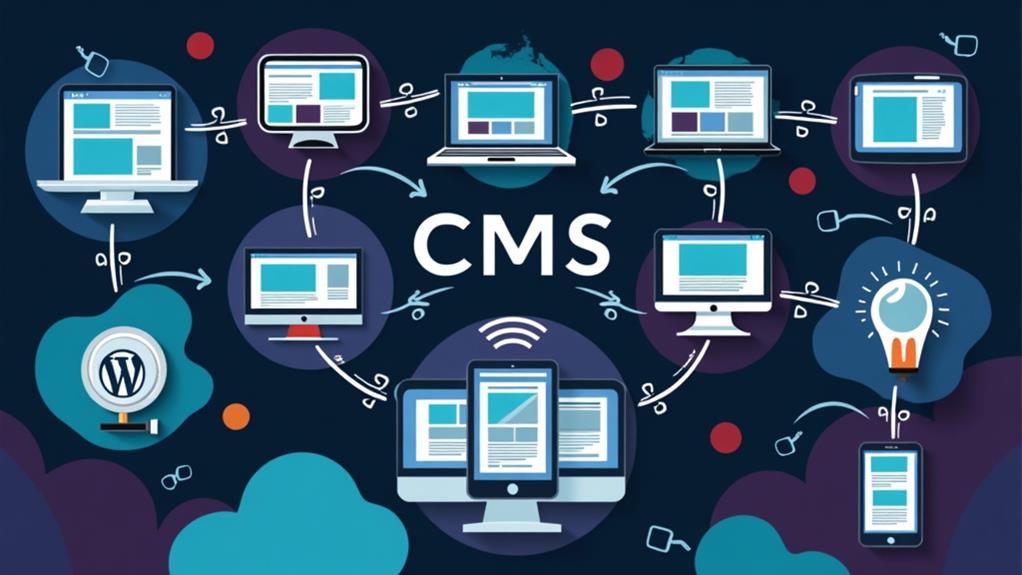
When exploring CMS options, you'll often encounter both open-source platforms like WordPress and Joomla, as well as proprietary solutions such as Kentico and SharePoint. Open-source CMSs allow you to access and modify the source code freely, promoting extensive customization and community-driven support. In contrast, proprietary CMSs typically require a subscription or licensing fee and offer limited customization options. However, they often come with dedicated support and specialized features that can be beneficial for certain use cases.
Open Source Options
Exploring open-source content management systems (CMS) unlocks a realm of customization and flexibility for your website. Platforms like WordPress, Joomla, and Drupal allow you to freely access and modify the source code, making them highly adaptable to specific needs.
- WordPress: As the most popular open-source CMS, WordPress powers over 40% of websites globally. It offers an extensive library of plugins and themes, enabling effortless enhancements to functionality and appearance.
- Joomla: Known for balancing user-friendliness with powerful features, Joomla is ideal for both beginners and advanced users. It provides robust customization options and supports a wide range of extensions.
- Drupal: Highly customizable and secure, Drupal is preferred by large organizations and websites requiring extensive functionality and performance. Its flexibility makes it ideal for complex projects.
Open-source options come with strong community support, providing extensive resources, forums, and documentation for troubleshooting and skill improvement. This community-driven approach ensures you're never alone in navigating your CMS experience.
Proprietary Solutions
For those seeking a structured and secure environment for their website, proprietary content management systems (CMS) offer a compelling solution. These platforms require licensing fees, which typically include customer support and regular updates from the vendor, ensuring your website remains up-to-date and secure.
Unlike open-source options, proprietary solutions provide a controlled environment with built-in security features, greatly reducing vulnerabilities associated with third-party plugins. CMS platforms like Kentico and SharePoint cater to specific business needs with tailored functionalities and integrations, making them ideal for organizations with precise requirements.
One of the main advantages of proprietary CMS platforms is their user-friendly interfaces. They are designed to be accessible for users who may lack in-house technical expertise, ensuring ease of content management. Moreover, the customer support offered by these solutions can be invaluable in troubleshooting and optimizing your website.
While proprietary CMS solutions often come with higher upfront costs compared to open-source alternatives, they deliver a more predictable experience. This investment can result in a streamlined, consistent, and reliable content management process, making them a worthy consideration for businesses prioritizing stability and security.
Popular CMS Examples
Among the vast array of content management systems (CMS) available, several stand out due to their widespread adoption, unique features, and reliability. These popular CMS platforms have proven to be versatile and user-friendly, making them top choices for different types of websites.
- WordPress: As the most popular CMS, WordPress powers over 40% of all websites globally. It is renowned for its intuitive interface and extensive library of plugins, making it a go-to for bloggers, small businesses, and large enterprises alike.
- Joomla: This open-source CMS offers a flexible platform suitable for various website types, including static sites. Joomla strikes a balance between user-friendliness and advanced features, making it a strong contender for those requiring more customization options.
- Drupal: Known for its powerful and versatile capabilities, Drupal is ideal for large organizations and complex websites. Although it has a steeper learning curve, its robust features make it perfect for developers handling intricate projects.
Other notable mentions include Shopify for e-commerce, and Wix and Squarespace, which are excellent for beginners and small businesses due to their easy setup and industry-specific templates. Selecting the right CMS depends on your specific needs and technical expertise, but these options provide a solid starting point.
Benefits of a CMS

A Content Management System (CMS) offers numerous advantages that streamline website management, making it more efficient and accessible. One of the primary benefits is the ability to create, edit, and publish content without requiring coding skills. This democratizes content management, enabling non-technical users to handle large volumes of content seamlessly. Additionally, many CMS platforms come equipped with built-in SEO tools that enhance your website's visibility on search engines, thereby attracting more traffic.
Another significant benefit is the collaborative features a CMS provides. Multiple users can work on content simultaneously, and role-based permissions ensure secure and organized management. This facilitates efficient teamwork and streamlines workflows.
CMS platforms also offer a wide array of customizable themes and plugins. These features allow you to adapt your website to meet specific branding and functionality requirements, giving you the flexibility to create a unique online presence. Regular updates and maintenance are simplified, reducing the total time and cost associated with website management compared to traditional coding methods.
Moreover, robust security features are often integrated into CMS platforms, adding an extra layer of protection for your site. These combined advantages make a CMS an invaluable tool for modern website management.
Choosing the Right CMS
Having examined the numerous benefits of a CMS, it's essential to choose the right one for your specific needs. Begin by identifying your website goals and necessary features. This will ensure that the CMS aligns with your business objectives and provides the required functionality.
When choosing a CMS, consider the following factors:
- User-friendliness: An intuitive interface will facilitate easier adoption and content management for your team, minimizing the need for extensive training.
- Scalability: Ensure the CMS can grow with your business and integrate smoothly with your existing tools and technologies.
- Cost implications: Look beyond the initial price. Consider potential hidden fees for premium features, plugins, and ongoing support.
- Community support: A robust user community can offer valuable assistance, troubleshooting, and resources, which can be particularly useful when facing challenges or implementing new features.
Key CMS Features

When exploring key CMS features, you'll discover that content editing tools and user management capabilities are essential. A WYSIWYG editor allows you to create and format content easily, without requiring coding skills. Additionally, robust user management functionalities enable you to assign roles and permissions, ensuring secure and efficient content management.
Content Editing Tools
Content editing tools are essential features of any comprehensive Content Management System (CMS), providing users with the ability to create and modify web content seamlessly. These tools streamline the process, enabling even non-technical users to manage their websites efficiently.
A fundamental content editing tool you'll encounter is the WYSIWYG (What You See Is What You Get) editor. These editors allow you to manipulate text, images, and other elements without requiring knowledge of coding. You can preview exactly how your content will appear once published, making the editing process more intuitive.
Media management tools are another critical component. These tools facilitate the uploading, organizing, and editing of images, videos, and other digital assets, ensuring your media is always easily accessible.
Version control features enhance collaboration by enabling you to track changes and revert to previous versions if necessary. This ensures that nothing is ever lost and that you can maintain the accuracy of your content.
Other notable features include:
- Inline editing: Modify content directly on the page for a more immediate editing experience.
- Customizable templates: Ensure consistent formatting across your website.
- Themes and plugins: Enhance functionality and customize the appearance of your site effortlessly.
User Management Capabilities
User management capabilities are a cornerstone of any robust Content Management System (CMS), providing essential tools for access control and organizational maintenance. These features enable the implementation of role-based access control (RBAC), assigning different permissions to administrators, editors, and contributors to ensure content security and structured management.
Most CMS platforms include intuitive dashboards that allow administrators to effortlessly add, remove, or modify user accounts. By assigning specific roles with defined access levels, content creators can easily understand their responsibilities. Version control is another critical feature, enabling the tracking of changes made by different users and the ability to revert to previous content versions if necessary.
A comprehensive user management system also incorporates activity logs to monitor user actions, aiding administrators in maintaining oversight and accountability. Additionally, customizable workflows facilitate the content creation, review, and approval processes, promoting effective collaboration among multiple users.
Here's a quick overview of key user management features:
| Feature | Benefit | Example Use Case |
|---|---|---|
| Role-Based Access Control | Enhances security | Different permissions for roles |
| User Accounts | Simplifies user management | Add, remove, modify users |
| Activity Logs | Ensures accountability | Track user actions |
| Customizable Workflows | Streamlines collaboration | Content creation and approval |
These user management capabilities enhance the efficiency, security, and collaborative potential of your CMS.
CMS for Beginners
Embark on your website creation journey effortlessly with a Content Management System (CMS). If you're new to web development, a CMS allows you to design and manage content without any coding skills. Platforms like WordPress, which powers over 40% of websites globally, offer robust options for beginners. Additionally, user-friendly CMS platforms like Wix and Squarespace provide intuitive interfaces and pre-designed templates, enabling you to set up professional-looking websites quickly.
Most CMS options come with built-in SEO tools, helping you optimize your content for search engines and increase your chances of attracting visitors. Moreover, popular CMS platforms support plugins and extensions, allowing you to add functionalities to your website without technical expertise. This feature facilitates effortless customization of your online presence.
Regular updates and community support are other essential aspects of a CMS. These resources assist you in learning, troubleshooting issues, and improving your website management skills over time. Key benefits include:
- Ease of Use: No coding skills required
- SEO Tools: Built-in features to optimize content
- Customization: Plugins and extensions for added functionality
With these tools and support, starting your website creation journey has never been easier.
Best Practices for CMS

Effectively harnessing the power of a Content Management System (CMS) requires adherence to best practices that ensure your website remains functional, engaging, and optimized. Start by developing a robust content strategy. Clearly outline your goals, target audience, and key messaging to maintain consistency and relevancy across all published materials, which is crucial for effective content management.
Utilize a clear and organized structure for your content by incorporating headings, bullet points, and concise paragraphs. This not only improves readability but also enhances user experience, making your site more engaging. Regularly update existing content to reflect current information and trends. Keeping your content fresh ensures that users have access to the most relevant and accurate data.
Optimize your content for search engines by incorporating relevant keywords, meta tags, and SEO-friendly URLs. This is fundamental for search engine optimization (SEO) and can help drive organic traffic to your site. Additionally, implement a robust backup strategy for your CMS platform. Regularly save website content to enable quick restoration in case of data loss or website issues, ensuring business continuity.
CMS Trends and Future
As we look ahead, the evolution of Content Management Systems (CMS) is set to revolutionize how we manage and deliver content. Here are some trends to watch for:
- Headless CMS: This architecture decouples content management from presentation, offering greater flexibility and enabling content delivery across multiple channels and devices.
- Artificial Intelligence: Integrating AI into CMS platforms automates content creation, personalization, and analytics, enhancing user engagement and operational efficiency.
- Voice-Activated Features: As voice search technology grows, CMS platforms are incorporating voice commands to streamline content management.
A headless CMS allows seamless content delivery through multiple applications, tailored for any device or platform. By incorporating artificial intelligence, routine tasks can be automated, personalized content can be delivered, and advanced analytics can provide valuable insights. This not only saves time but also fosters more meaningful user interactions.
The emphasis on mobile-first design ensures your content is optimized for mobile devices, offering a seamless user experience. Data-driven content management strategies enable you to leverage analytics to monitor performance and fine-tune your content strategy effectively. With these advancements, CMS platforms empower businesses to stay ahead in a rapidly evolving online environment.