What Is Microsoft Clarity? A Beginner’s Guide to Website Analytics

If you've ever wondered what your website visitors are doing when they land on your page, Microsoft Clarity might just be the perfect solution. Launched in 2020 as a free and user-friendly analytics tool, Clarity helps website owners understand user behavior without overwhelming them with unnecessary complexity.
Understanding Microsoft Clarity
Microsoft Clarity is your gateway to understanding how users interact with your website. By capturing anonymous user data, it provides visual insights into user behavior, helping you gain a deeper understanding of what drives user interactions. With session recordings, you can watch real-time navigation, offering a window into how users experience your site.
Heatmaps reveal areas of high engagement, allowing you to focus on optimizing specific sections. The Clarity dashboard aggregates these insights, helping you make data-driven decisions to improve website performance.
This tool emphasizes qualitative insights, uncovering the "what" and "why" of user behavior. By integrating with analytics tools, Microsoft Clarity guarantees you have a thorough view of user behavior without compromising data privacy.
Key Features of Microsoft Clarity
- Funnel analysis: Track user flow through paths, optimizing conversion by identifying drop-off points.
- Custom events: Monitor specific interactions for deeper user engagement insights.
- Insights dashboard: Utilize machine learning to spot unusual behaviors for timely adjustments.
- User behavior data: Understand user actions thoroughly to optimize user experience.
With Microsoft Clarity, understand user behavior and improve user engagement effectively.
How Microsoft Clarity Works

Understanding how Microsoft Clarity operates is vital to leveraging its features for maximum benefit. By capturing anonymous user behavior data, it lets you analyze clicks, scrolls, and navigation patterns through session recordings and heatmaps.
This real-time insight into user interactions helps you understand how visitors engage with your content and identify areas for improvement. The Clarity dashboard displays essential metrics like engagement rates and traffic sources, allowing you to effectively monitor website performance.
Moreover, funnel analysis tracks user flow, pinpointing drop-off points in the conversion process, thereby optimizing user experiences. Integration with Google Analytics provides an extensive view of both user behavior and website performance, empowering you to make data-driven decisions that improve your site's effectiveness.
Use Cases for Microsoft Clarity
From marketing to IT, Microsoft Clarity offers several valuable use cases across different domains. You can utilize this analytics tool to track user behavior and make data-driven decisions. Here's how:
- Marketing and Product Development: Use heatmaps to understand user navigation patterns, optimizing call-to-action placements for better engagement in your digital marketing efforts.
- Sales Teams: Analyze session recordings to identify obstacles in online sales forms, allowing you to tailor strategies to suit individual customer preferences.
- IT and Support: Identify user pain points and prioritize updates to improve the entire user experience.
- Learning and Development: Pinpoint knowledge gaps in web applications, optimizing onboarding and measuring training impact.
- Implementing Two-Factor Authentication decreases unauthorized access by 99.9%, enhancing security measures for your website analytics data.
Comparing Microsoft Clarity With Other Tools
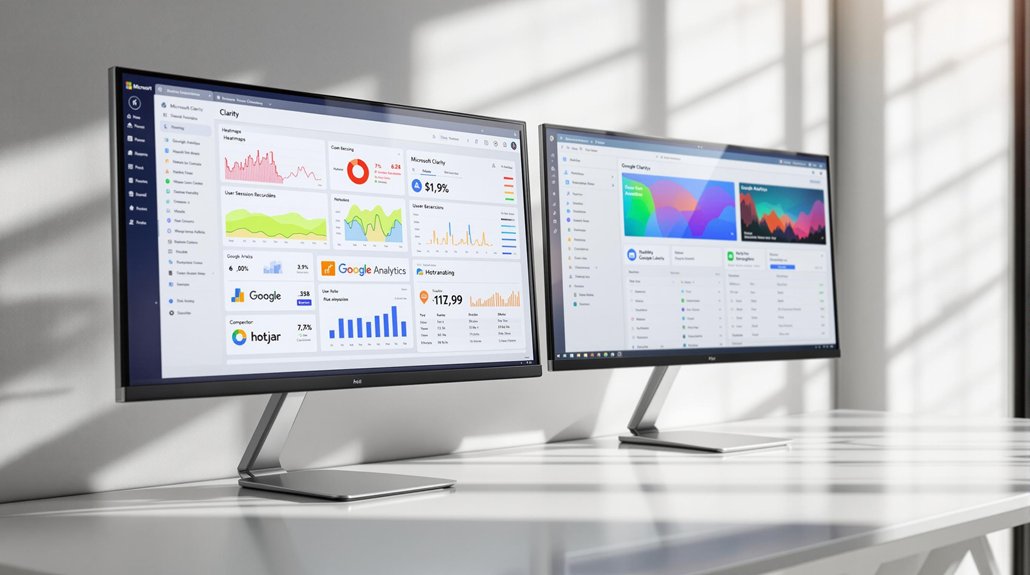
While Microsoft Clarity offers multiple use cases in different domains, it is crucial to evaluate how it stacks up against other analytics tools. Microsoft Clarity stands out with its free, unlimited session recordings and basic heatmaps, giving you qualitative insights into user behavior.
Hotjar, on the other hand, limits recordings in its free plan but provides different heatmap types. Google Analytics complements Clarity by focusing on traffic and performance metrics, allowing you to make data-driven decisions. Clarity's seamless integration with Google Analytics and Google Tag Manager improves your analysis without extra costs.
Privacy is a key feature of Clarity, as it doesn't collect personally identifiable information, unlike some elements of other tools that might require user data for functionality. Implementing SEO fundamentals is essential for optimizing your website's visibility and driving organic traffic, ensuring tools like Clarity can effectively complement your analytics strategy.
Steps to Get Started With Microsoft Clarity
Getting started with Microsoft Clarity is a straightforward process that begins with creating a free account. Head over to the official Clarity website and sign up using your Microsoft, Facebook, or Google account. After confirming your email, you'll need to set up a new project:
- Enter your website URL and give your project a name.
- Choose an installation method: either manually integrate the tracking code or use Google Tag Manager.
- Start monitoring user sessions to gather insights like heatmaps and session recordings.
- Regularly analyze user behavior to identify trends and make data-driven decisions.
Best Practices for Utilizing Microsoft Clarity

Release the full potential of Microsoft Clarity by implementing best practices that transform raw data into actionable insights. Regularly review session recordings to gain a deeper understanding of user behavior and identify areas for improvement. These recordings provide insights into how users navigate your site, highlighting usability issues that might hinder engagement.
Heatmaps are crucial for visualizing user interactions, helping you make data-driven decisions about design and content placement. Continuously monitor Clarity's insights through the Insights Dashboard for real-time detection of unusual user behaviors, allowing for quick website optimization.
Set specific goals to improve conversion rates and reduce bounce rates. Use segmentation features to analyze user behavior across diverse demographics, ensuring targeted improvements for a more effective online presence. By optimizing content for SEO, you ensure that your website gains higher visibility in search results, thus driving more organic traffic to your site.
Enhancing Your Website Strategy With Microsoft Clarity
Building on the best practices for utilizing Microsoft Clarity, you can further improve your website strategy by leveraging its robust analytical tools. Clarity provides valuable insights to understand user behaviors and make data-driven decisions for improved website optimization. With session recordings and heatmaps, you can:
- Identify areas for improvement: See where users engage most and adjust design or content accordingly.
- Boost conversion rates: Analyze user flow and pinpoint where users drop off during the conversion process.
- Resolve usability issues: Observe real-time user interactions to enhance navigation and user experience.
- Respond to unusual behaviors: Use Clarity's insights to detect and address potential problems swiftly.
Integrating Clarity with Google Analytics offers a thorough view, empowering you to refine your digital strategy effectively.
Conclusion
Microsoft Clarity is the digital equivalent of sitting down with your website visitors and watching how they interact with your content. For beginners, it simplifies analytics with its straightforward yet powerful features. And for seasoned marketers, it adds depth to existing data tools. Best of all, its free pricing makes it accessible to anyone. Start using Clarity today, and turn user behavior insights into actionable improvements that drive real results!