When Not to Use Wordpress Multisite?

You shouldn't use WordPress Multisite if you're managing fewer than five sites, as the complexities might overshadow the benefits. Avoid it if you face complex migration needs, since extracting and reconfiguring sites can be a headache. High-traffic sites can impair the entire network's performance, so consider standalone setups instead. If you need unique site customization, separate installations offer more flexibility with plugins and themes.
Ultimately, think twice about multisite if you're worried about security and privacy, as breaches on one site can affect the whole network. There's more to investigate about when Multisite might not be the best choice.
Small Number of Sites
When managing just a handful of websites, WordPress Multisite might not be your best option. If you have fewer than five sites, the complexities introduced by a multisite setup can quickly outweigh any potential advantages. The administrative overhead becomes apparent when dealing with a shared database structure and user management. For such a small number of sites, standalone installations offer a more straightforward approach.
With standalone installations, you can enjoy greater flexibility in plugin and theme management. Each site can be tailored to meet specific needs without being restricted by the overarching constraints of a multisite setup. This means you can choose different plugins or themes for each site, providing the customization that a small network often requires.
Centralized updates and maintenance, while beneficial for large networks, don't provide significant advantages for a small number of sites. Managing individual WordPress installations can be more efficient and less complex. Furthermore, the shared user base in a multisite setup can complicate user management, leading to challenges that aren't justified by the size of your network.
In essence, if your site count is low, opting for standalone installations guarantees a simple, flexible, and efficient management experience. Additionally, WordPress has over 60,700 plugins available, which allows for easy customization and flexibility when managing standalone installations.
Complex Migration Needs
Migrating sites from a WordPress Multisite network can be an intimidating task due to the shared database structure, which necessitates specialized tools and processes. As a multisite network admin, tackling complex migration needs often means dealing with the intricacies of extracting individual sites and reconfiguring them into standalone WordPress installations. This process can be time-consuming and prone to errors, especially when compatibility issues arise. Not all plugins or themes that work in a multisite environment are supported in individual setups, potentially leading to functionality disruptions.
Moreover, managing user roles and permissions adds another layer of complexity. After migration, you'll likely find yourself manually cleaning up these settings, which can introduce data inconsistency. Maintaining the integrity of your site's data during this shift is critical to avoid any operational hiccups. A thorough backup and restoration process is fundamental when migrating out of a multisite setup. This step is necessary to prevent data loss and minimize downtime, but it also increases migration complexity. If not handled correctly, it could result in significant setbacks. Carefully weighing these challenges against your needs is important before deciding on using a multisite network. Additionally, maintaining SEO integrity during migration is crucial to avoid losing search engine rankings.
High-Traffic Site Concerns
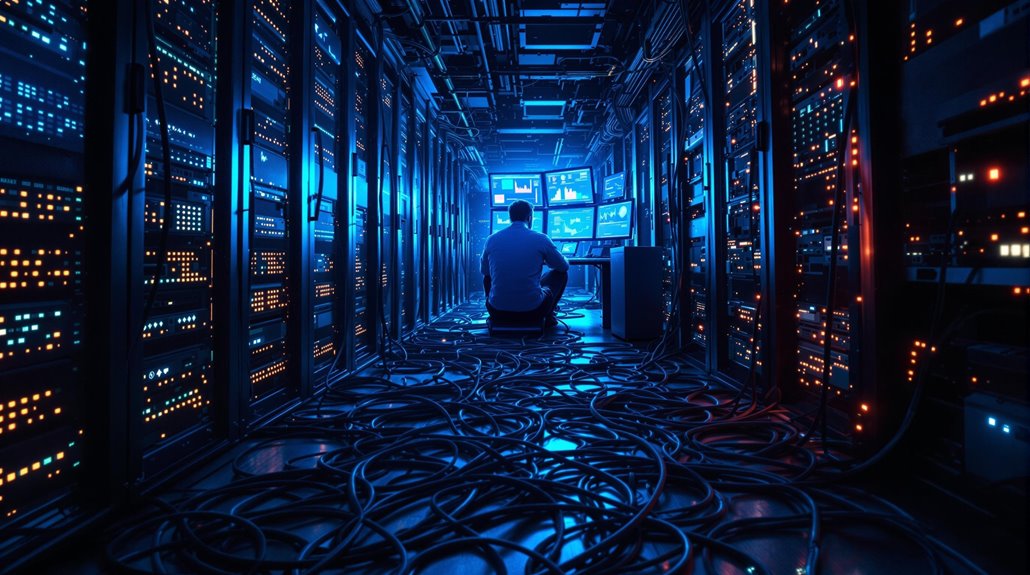
High-traffic sites in a WordPress Multisite network can quickly become the Achilles' heel of the entire setup. When these sites experience a surge in visitors, the performance degradation is inevitable as they're competing for shared server resources. This strain doesn't just affect the high-traffic site but can slow down every site in your multisite setup. As more data flows in, the database size balloons, leading to slower query responses and, in severe cases, potential database crashes impacting your entire network. Implementing structured data correctly can improve search rankings and speed up indexing, providing a competitive edge even in high-traffic scenarios. Security risks also loom large. DDoS attacks targeting a high-traffic site can wreak havoc across the board, threatening the security and uptime of all connected sites.
Plus, the shared user base in a multisite configuration means compromised credentials on one site could grant unauthorized access to others, amplifying security concerns. When issues like these arise, recovery is no walk in the park. Resolving performance or security incidents often demands extensive downtime and complex troubleshooting, affecting every site in the network. If your site draws significant traffic, using a multisite setup might introduce more problems than it solves, making standalone installations a safer bet.
Unique Site Customization
Customizing each site to meet unique needs can be a challenge in a WordPress Multisite setup. While the multisite feature offers centralized user management, this can be a double-edged sword. You might find it limits your ability to customize user roles and permissions on a per-site basis, which is vital if your sites cater to different audiences. If each site requires distinct functionalities or unique site customization, separate WordPress installations will provide the flexibility you need. This way, you can tailor plugins and themes to fit each site's specific needs without risking cross-site conflicts. In a multisite environment, all sites share the same admin panel and backend settings, making it difficult to achieve the level of site flexibility needed for varied branding requirements.
If your organization needs each site to have its own look and feel, standalone installations are more effective. They allow you to implement custom themes and extensive modifications without affecting other sites. By choosing separate setups, you can confirm each site reflects its unique branding and functionality requirements, offering a personalized experience for users. This freedom is particularly beneficial when distinct user experiences are fundamental for your business goals. Domain mapping can enhance branding opportunities, but may not suffice when unique site customization is necessary.
Security and Privacy Issues

When considering a WordPress Multisite setup, it is crucial to weigh the potential security and privacy issues that may arise. A security breach in one site can compromise your entire network, exposing all sites to vulnerabilities. This happens because of shared user credentials and database architecture. The interconnectedness of multisite installations increases your attack surface, making DDoS attacks more likely. If one site is targeted, the performance and availability of all sites can suffer, leading to significant downtime. Implementing strong password policies and user access controls is essential to reduce unauthorized access and mitigate these risks.
Privacy can also be a concern in a multisite setup. Shared user roles might unintentionally grant users access to sites they shouldn't manage or view, compromising your network's privacy. Hacks become more complicated since recovery usually involves the entire network rather than just the affected site. This means extensive downtime and a more challenging recovery process. For sites handling sensitive data, the risks multiply. The interconnectedness of a multisite network makes high-security sites more vulnerable to widespread security breaches.
In these cases, maintaining separate installations might be a better approach to mitigate risks and protect your critical operations from potential threats.