Using WordPress to Build a Brand Community

Building a brand community with WordPress offers powerful tools and unparalleled flexibility. Start by thoroughly understanding your audience and setting clear objectives, which will form the cornerstone of your efforts. With customizable themes and essential plugins like BuddyPress and bbPress, you can establish a robust online infrastructure that fosters member interaction. However, success goes beyond just setup; the key is to nurture engagement through user-generated content and regular events. To keep your strategies effective and your community vibrant, you'll need to consider additional tactics to fully leverage WordPress's potential.
Understanding Your Audience
Understanding your audience is crucial for building a successful brand community on WordPress. Begin with comprehensive audience research to identify the specific needs and preferences of your target audience. This foundational step ensures that your community initiatives are relevant and impactful.
Next, develop user personas based on this research. These personas will help tailor your content and communication strategies to resonate with different segments of your community. Regularly assess and update these personas, as audience demographics and interests evolve over time. Keeping your personas current fosters continuous engagement and relevance.
Implement effective feedback mechanisms, such as polls and surveys, to gather valuable insights into audience satisfaction and preferences. This data allows you to make informed adjustments to your community offerings, ensuring they remain aligned with the expectations of your members.
Defining Community Purpose
To build a thriving brand community on WordPress, you must start by clarifying your community's mission. Conducting audience research to identify member needs helps you establish clear objectives that align with their preferences. This approach not only attracts like-minded individuals but also fosters engagement and loyalty, creating a cohesive and active community.
Clarifying Community Mission
Frequently, a clear community mission serves as the foundation for attracting like-minded individuals who share common goals and values, thereby fostering stronger connections among members. Your community mission should clearly articulate the shared goals and purpose that unite your members. Conducting thorough audience research is crucial in understanding their preferences and challenges, ensuring your mission resonates deeply.
Developing user personas is essential for tailoring communication strategies to make your mission more relevant and impactful for your target audience. Regularly evaluating and refining your community mission helps it adapt to changing needs, maintaining strong engagement and relevance.
Here's a concise overview to guide you:
| Key Element | Description |
|---|---|
| Community Mission | Defines shared goals and values |
| Audience Research | Understands preferences and challenges |
| User Personas | Tailors communication strategies |
| Community Purpose | Guides initiatives and activities |
| Regular Assessment | Ensures adaptability and sustained relevance |
This structured approach ensures that your community mission remains clear, relevant, and impactful, fostering a strong, engaged community.
Identifying Member Needs
A thriving brand community relies on a well-defined purpose that addresses the specific needs of its members. Conducting thorough audience research is the initial step. This research uncovers the needs and preferences of potential members, ensuring your community's focus aligns with their interests. By developing detailed user personas based on this research, you can create tailored content and communication strategies that resonate with your target demographic.
User personas are critical tools for guiding your community's engagement strategies. They help you understand who your members are and what they need, fostering a sense of belonging that encourages active participation. Regularly evaluating and updating these personas ensures your community remains relevant and engaging, adapting to any changes in audience needs.
Clearly defined community guidelines also play a significant role. They help maintain a positive environment where members feel safe and valued. These guidelines, combined with your tailored content, strengthen the community's purpose and appeal.
Ultimately, a well-defined community mission attracts like-minded individuals. When members feel understood and valued, they're more likely to engage actively, turning your WordPress site into a dynamic, thriving brand community.
Establishing Clear Objectives
Defining your community's purpose is essential for its success. Establishing a clear purpose helps identify the problem your community aims to solve, attracting like-minded individuals and fostering engagement. Start by conducting comprehensive audience research to uncover the needs and preferences of potential members. This ensures your community's objectives align with their interests, which is crucial for user engagement.
Next, develop detailed user personas. These personas help craft tailored content and communication strategies that resonate with your target audience, driving community growth. It's important to regularly assess and update these personas to adapt to changing audience needs, keeping your community relevant and engaging.
A well-defined community mission serves as a guiding star for your initiatives. It directs your activities and cultivates a sense of belonging and ownership among members, which is critical for sustained engagement. By clearly articulating your community's mission, you create a foundation that supports engagement and long-term growth.
Building Online Infrastructure
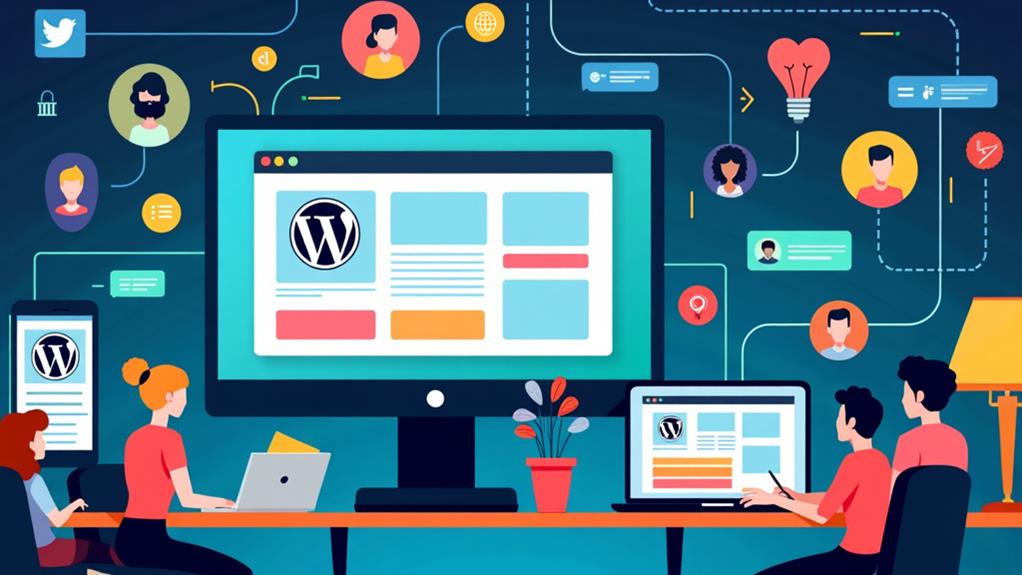
To build your online infrastructure, select a dependable host that ensures your WordPress site operates smoothly and efficiently. Customize your site with themes that reflect your brand's identity and enhance user experience. Employ essential plugins to boost functionality, engagement, and operational efficiency.
Choosing the Right Host
Selecting the right hosting provider is crucial for building a robust online community with WordPress. Your website's performance is paramount, so aim for hosts that guarantee a minimum uptime of 99.9%, ensuring your site is always accessible. Speed optimization features are equally essential, as faster loading times enhance user experience and reduce bounce rates.
As your community grows, you'll need scalable hosting solutions that offer increased storage and bandwidth, enabling your site to handle more traffic without sacrificing performance. Look for hosts that provide one-click WordPress installation, simplifying the setup process even for non-tech-savvy users.
Security is another vital consideration. Choose providers with strong security measures, including SSL certificates and regular backups. These features protect user data, maintain community trust, and elevate your brand's credibility. A secure site not only safeguards sensitive information but also bolsters your site's reputation.
Customizing With Themes
After securing a reliable hosting provider, the next step in building your online community is customizing your WordPress site with the right theme. Selecting a suitable theme that reflects your community's purpose is crucial. It enhances user experience and fosters engagement by providing a visually appealing and intuitive interface. WordPress offers a wide array of customizable themes, enabling you to align your community website's design with your brand identity and values.
Many of these themes come with built-in community features, such as BuddyBoss or those compatible with BuddyPress, which simplify the integration of social networking elements into your site. This makes it easier for members to interact, share, and create engaging content.
Responsive design is another critical aspect to consider. With more users accessing websites from various devices, ensuring your theme is responsive will make your brand community accessible and functional for a broader audience.
Leveraging Essential Plugins
Building a robust online infrastructure for your brand community involves leveraging essential plugins to enhance functionality and user experience.
Key Plugins for Community Building:
- BuddyPress: This plugin creates a social networking environment where members can connect through profiles, activity feeds, and private messaging, fostering a strong community feel.
- bbPress: Perfect for organizing conversations, bbPress allows you to establish discussion forums categorized by topics, amplifying member engagement.
- Event Calendar: To keep your community active and informed, this plugin streamlines event management. Users can RSVP and receive reminders, facilitating organized gatherings.
- All in One SEO: Vital for attracting new members, this plugin improves your site's search visibility, ensuring your community gets discovered.
- GamiPress: Gamification can significantly increase member participation. GamiPress rewards users with badges and points, providing a sense of achievement and belonging.
Quick Comparison of Fundamental Plugins:
| Plugin | Functionality |
|---|---|
| BuddyPress | Social networking features |
| bbPress | Discussion forums |
| Event Calendar | Event management and reminders |
| All in One SEO | Enhance search visibility |
| GamiPress | Gamification with badges and points |
Integrating Social Media
Integrating social media into your WordPress brand community can significantly boost audience interaction and engagement. By linking platforms like Facebook and Instagram to your site, you enable seamless sharing of updates and events, potentially increasing your visibility and engagement by up to 28%. Use plugins like Social Media Share Buttons to encourage visitors to share your content, which can raise sharing rates by up to 200% and drive more traffic to your community site.
To foster a larger community presence, consistently post community updates and engaging content on your social media platforms. Doing so can increase website referrals by 32%. Engage your audience with social media challenges or branded hashtags to encourage user-generated content, which helps build a sense of community and belonging.
Effective community management requires posting valuable content consistently. This practice not only keeps your audience engaged but also encourages them to share their own experiences, further enhancing the sense of community. By integrating social media into your WordPress site, you leverage the power of these platforms to create a more lively, interactive, and engaged brand community.
Creating Valuable Content

To truly engage your community, leverage storytelling techniques that captivate and inspire. Encourage user-generated content to foster a sense of ownership and belonging, which is crucial for building a vibrant brand community. Initiating thought-provoking discussions can transform your platform into an interactive and enthusiastic hub.
Engaging Storytelling Techniques
Employing engaging storytelling techniques can significantly enhance audience engagement and retention. Narratives can boost retention rates by up to 65% compared to plain facts. By incorporating personal anecdotes and experiences into your content, you foster a deeper emotional connection, leading to a 28% rise in participation rates. This emotional bond encourages community members to feel more invested in the content and discussions.
To appeal to diverse audience preferences, use various content formats like videos, podcasts, and written stories. This approach can help you reach a wider audience, as 78% of marketers believe custom content is the future of marketing. Crafting stories that include a clear problem and resolution can spark thought-provoking discussions, motivating community members to share their insights and experiences.
Encouraging user-generated content through storytelling, such as member success stories, promotes community belonging and loyalty. When community members see their stories shared, they feel a sense of ownership and pride. This not only builds a stronger community but also generates organic content that can be utilized for further engagement. Use these techniques to create a lively, interactive community on your WordPress site.
User-Generated Content Benefits
User-generated content (UGC) offers significant advantages for fostering a vibrant brand community on WordPress. Encouraging community members to create and share their own content nurtures a sense of ownership, resulting in a 28% increase in engagement when combined with professionally produced content. This active participation is vital for converting passive audiences into engaged contributors, ensuring the long-term sustainability of the community.
UGC brings varied perspectives and experiences into your WordPress community, enriching the narrative and making it more relatable to a broader audience. This variety enhances trust levels, with 79% of consumers stating that user-generated content significantly influences their purchasing decisions. Consequently, your community becomes a trusted source of authentic content.
Incorporating UGC also helps reduce content creation costs. When community members share their insights and experiences, it lessens the burden on community managers, allowing for more efficient resource allocation.
Here's a quick overview of the benefits:
| Benefit | Description | Impact |
|---|---|---|
| Increased Engagement | Ownership leads to 28% more engagement | More active community |
| Diverse Perspectives | Enriches community narrative | Improved relatability |
| Higher Trust Levels | 79% say UGC impacts purchasing decisions | Greater consumer trust |
| Lower Content Creation Costs | Community members contribute content | Reduced management efforts |
Inspiring Community Discussions
Creating valuable and inspiring content is essential for igniting meaningful discussions within your WordPress brand community. By addressing community challenges with informative content, you can boost engagement by 28%, particularly when incorporating user-generated contributions. This method fosters a sense of ownership among members, making your online community more dynamic and active.
Employ storytelling techniques to capture your audience's attention and stimulate thought-provoking conversations. Shifting from merely conveying information to asking questions encourages deeper interactions in your discussion forums. Regularly share valuable insights and resources to establish your community as a go-to platform for knowledge sharing. This not only drives continuous participation but also enhances the overall customer experience.
Further engage your audience by implementing polls and surveys about content preferences. This approach not only makes members feel valued and heard but also guides your future content creation, ensuring it resonates with the community. Consider organizing community events that highlight valuable insights and promote knowledge sharing, transforming your platform into a hub for engaging discussions. By focusing on content that connects and prompts interaction, you'll cultivate a thriving, engaged, and loyal brand community on WordPress.
Managing Community Engagement
Effectively managing community engagement is crucial for building a vibrant brand community on WordPress. To boost engagement, consider using plugins like BuddyPress and bbPress to create forums and discussion boards, which encourage users to share ideas and foster meaningful conversations. Incorporating user-generated content, such as polls and surveys, can make the community feel more involved, potentially increasing engagement by up to 28%.
Organizing regular events or webinars is another powerful tactic. These activities not only keep the community engaged but also foster a sense of belonging and connection among members. Ensure you set clear community guidelines to maintain a respectful environment, as active moderation is key for positive interactions and user retention.
Gamification elements like badges and leaderboards can further motivate members to participate actively, adding a fun and competitive edge that drives community growth. By integrating these strategies, you can create a dynamic and engaging WordPress community that thrives on active participation and shared experiences.
Enhancing User Experience

To cultivate a successful WordPress community, focusing on enhancing user experience is paramount. Begin with a user-friendly design that simplifies navigation and encourages exploration, leading to higher engagement and retention rates. Streamline navigation by creating dedicated pages for discussions, member profiles, and resources, making it easier for users to find relevant content and interact within the community.
Ensure mobile responsiveness so that your site functions seamlessly across all devices, catering to the growing number of mobile users. This improves user satisfaction and engagement. Additionally, optimize loading times with caching plugins and image compression to reduce bounce rates and enhance overall user experience.
Implementing anti-spam measures is crucial to maintaining the quality of interactions, fostering a safer and more welcoming environment. Providing high-quality content is also essential; it keeps users engaged and encourages them to return to your community.
Leveraging Growth Strategies
Leveraging Growth Strategies for Your WordPress Community
To enhance your WordPress community, employing effective growth strategies is crucial. Start by integrating research-driven content. With 78% of CMOs recognizing custom content as the future of marketing, well-researched articles can significantly boost your search engine rankings and attract new members.
Additionally, implement referral programs to incentivize existing members to bring in new ones. Personal recommendations can drive growth through social sharing and word-of-mouth marketing. Partnering with influencers and external collaborators can also introduce your community to new audiences, thereby increasing trust and engagement.
| Strategy | Benefits |
|---|---|
| Research-driven content | Improves SEO, attracts new members |
| Referral programs | Grows community via personal recommendations |
| Influencer partnerships | Taps into new audiences, enhances trust |
| Cross-community partnerships | Expands reach and engagement |
Don't overlook the potential of forming partnerships with other communities for cross-promotion. This strategy broadens your reach and engages more users by leveraging shared audiences. By focusing on these growth strategies, you'll not only engage your current members more effectively but also attract new ones, ensuring sustained growth and vibrancy for your WordPress community site.
Analyzing Community Metrics

Understanding the health and effectiveness of your WordPress community hinges on analyzing key performance indicators (KPIs). By tracking metrics such as member growth, engagement rates, and active participation, you can gauge how well your community is thriving. For instance, metrics like the average number of posts per member and comment engagement rates offer insights into the level of interaction among members.
Using tools like Google Analytics, you can monitor user behavior, website traffic, and referral sources, which helps in crafting informed growth strategies. Analyzing community metrics also involves looking at engagement metrics such as likes, shares, and the frequency of discussions. These indicators reveal how impactful your content is, guiding your future content creation efforts.
Regularly evaluating these metrics is essential for maintaining community health. It allows you to adapt your strategies based on member feedback and behaviors, ensuring your community remains relevant and engaging. By focusing on these KPIs, you can make data-driven decisions that improve the overall experience for your members, fostering a dynamic and active online community on your WordPress site.
Utilizing WordPress Tools
Navigating the myriad of tools available within WordPress can be daunting, but leveraging the right ones can significantly enhance your brand community. Begin by exploring customizable themes and essential plugins like BuddyPress and bbPress, which add interactive features such as forums and member profiles to your community website. These tools enable members to engage actively and share ideas effortlessly.
The AI Website Creator, included in certain Bluehost hosting plans, simplifies the design process. By entering a brief description, you can get a professional community site ready for customization. Additionally, don't overlook essential plugins like Event Calendar, which manage community events and enhance engagement through organized activities and RSVPs.
To attract new members, utilize SEO plugins within WordPress. These tools optimize your content, increasing your site's visibility on search engines. Regularly updating and maintaining your plugins is crucial for optimal functionality and security, fostering trust within your community.